Augmentation
Augmentation defines how additional information is generated for Knowledge Base records using a Large Language Model (LLM).
You can use the Augmentation settings to configure:
- Augmentation Strategies. Define how missing generated elements are created when using the Basic content chunker.
- Generated Elements. Define the elements that can be automatically generated during content chunking. These settings apply to both Basic and LLM content chunkers.
Augmentation Strategies
Each augmentation strategy specifies the generative endpoint and prompt used to generate tadditional elements. You can define multiple augmentation strategies and select the appropriate strategy for each Basic content chunker.
Add an augmentation strategy
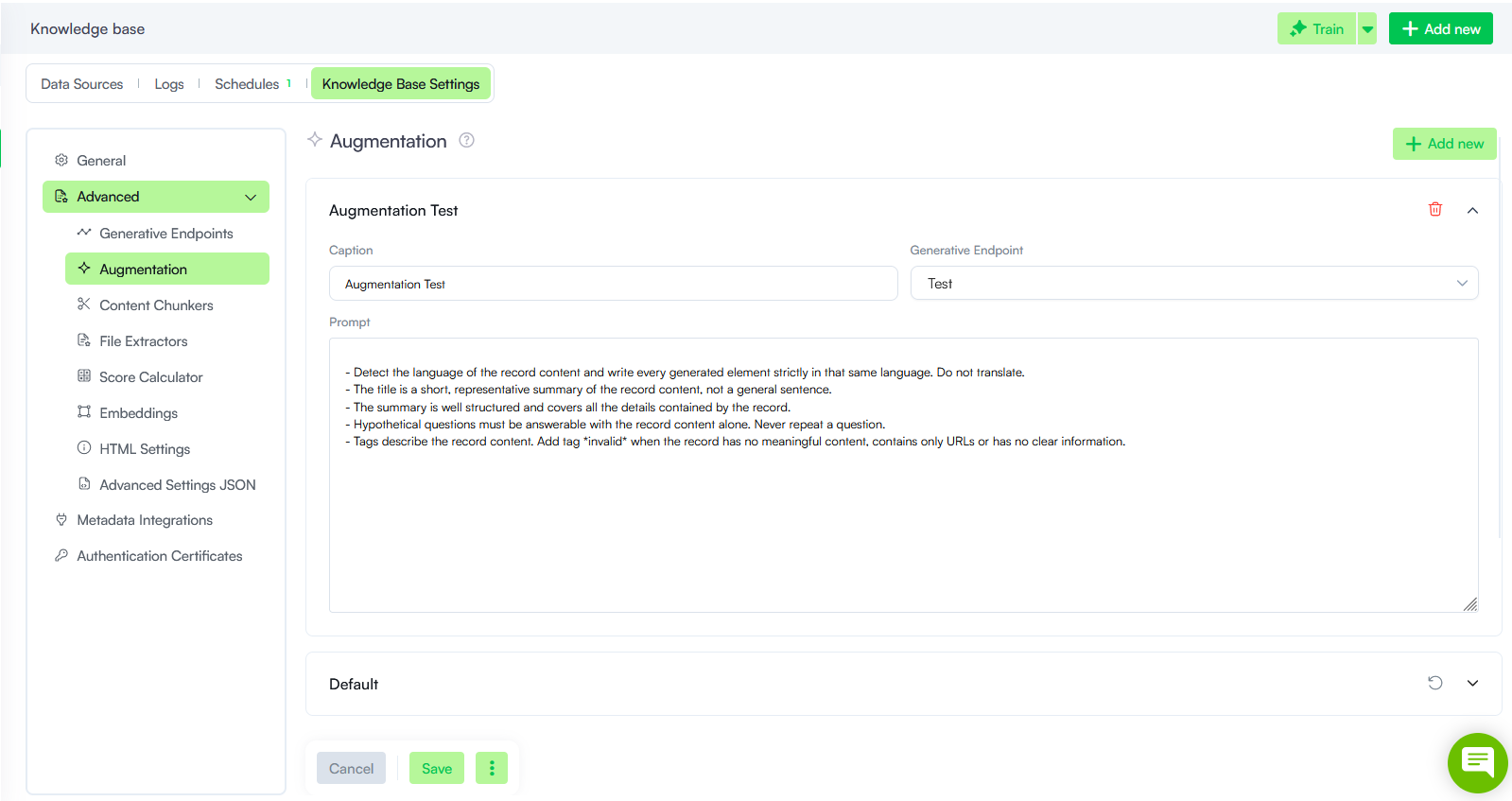
You can create multiple augmentation strategies to control how an LLM generates missing elements for records processed by a Basic content chunker.
To add an augmentation strategy:
- Select Add new.
- In the Caption field, enter a name for the augmentation strategy.
- From the Generative Endpoint drop-down, select the generative endpoint to use for generating the missing elements.
- In the Prompt field, you can customize the instructions that define how the required elements are generated.
- Save the strategy.
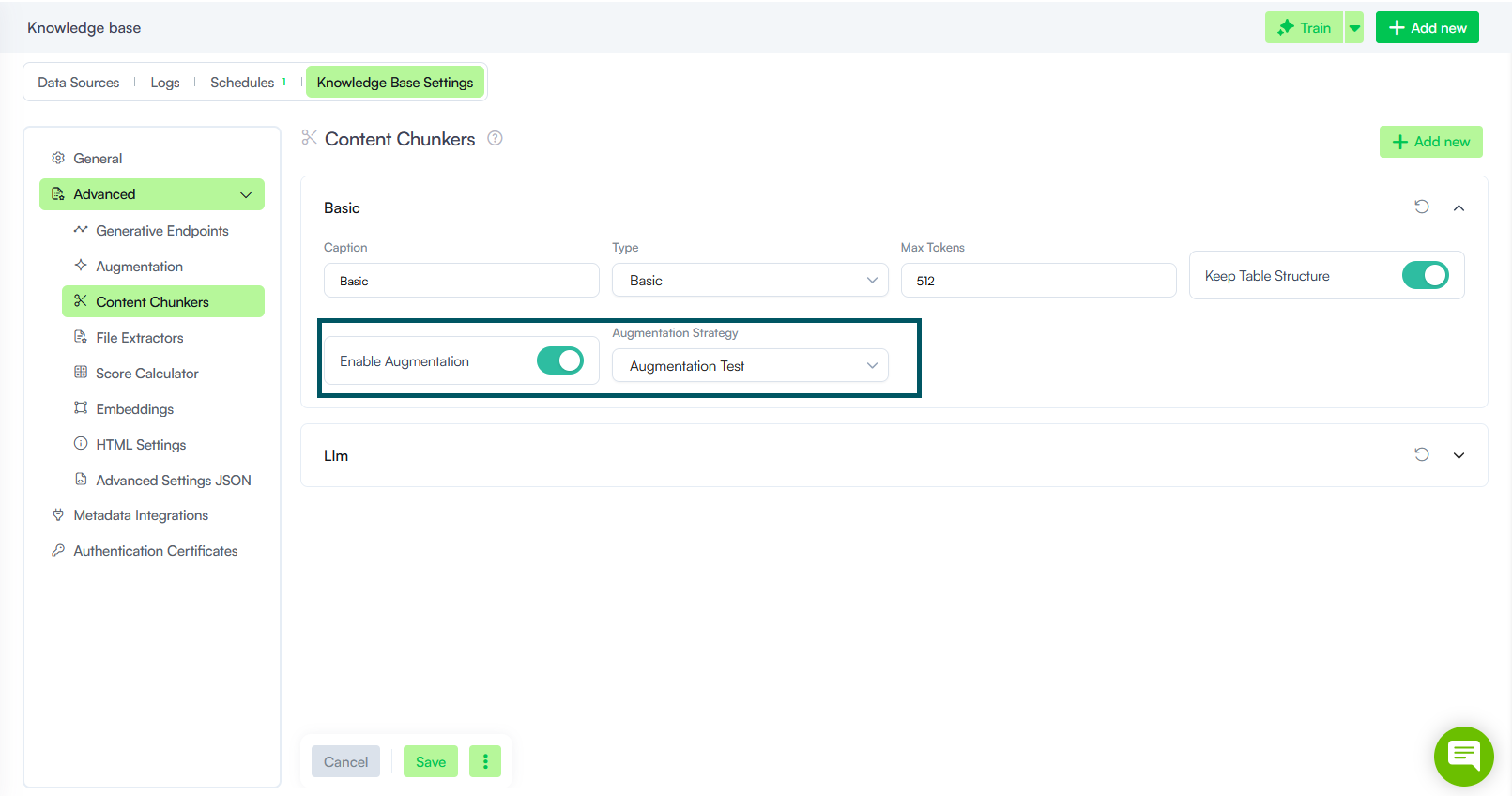
After you create the strategy, you can assign it to a Basic content chunker by turning on Enable Augmentation toggle and selecting it from the Augmentation Strategy dropdown.
Generated Elements
The Generated Elements section controls additional elements the LLM creates during the chunking process. While enabling these options may increase chunking execution time, they ensure higher quality matching at prediction time.
The following options are available:
| Parameter | Description |
|---|---|
| Generate summary |
Controls whether the LLM generates a summary for each document paragraph during the initial chunking process. NOTE: The Train generated summary option must be enabled under Advanced Settings > Embedding > Trainable Elements for generated summaries to be used in training sets.
|
| Generate split reasoning |
Controls whether the LLM provides a logical explanation for content split decisions during the document processing phase. Info: This parameter is relevant only for LLM content chunkers.
|
| No. of generated questions for train |
Defines the number of additional questions the LLM generates for training data to enhance model performance. NOTE: The Train generated questions option must be enabled under Advanced Settings > Embedding > Trainable Elements for generated questions to be used in training sets.
|
| No. of generated questions for evaluation | Defines the number of questions the LLM generates automatically for evaluation data purposes. |
To review the data generated by the LLM when any of these options are active, create a dedicated view and add it to a workspace.