Druid 9.28
Deployment Dates
The table below lists the deployment date of Druid 9.28 across Druid Clouds. To view the Druid Releases Calendar, see Druid Releases.
|
Druid Cloud Community *.community.Druidplatform.com |
Druid Cloud US *.us.Druidplatform.com |
Druid Cloud Australia *au.Druidplatform.com |
Druid Cloud West-Europe (PROD) *.Druidplatform.com |
|---|---|---|---|
| July 30, 2026 | August 27, 2026 | August 27, 2026 | August 27, 2026 |
These release notes give you a brief, high-level description of the improvements implemented to existing features.
If you have questions about your Druid tenant, please contact support@druidai.com or your local Druid partner for more information.
- Custom Code Execution for REST requests and responses
What's New
- New Channel - RCS by Vonage. We are excited to announce native support for RCS by Vonage, enabling rich, branded, and interactive messaging for your AI Agent interactions.
Improvements
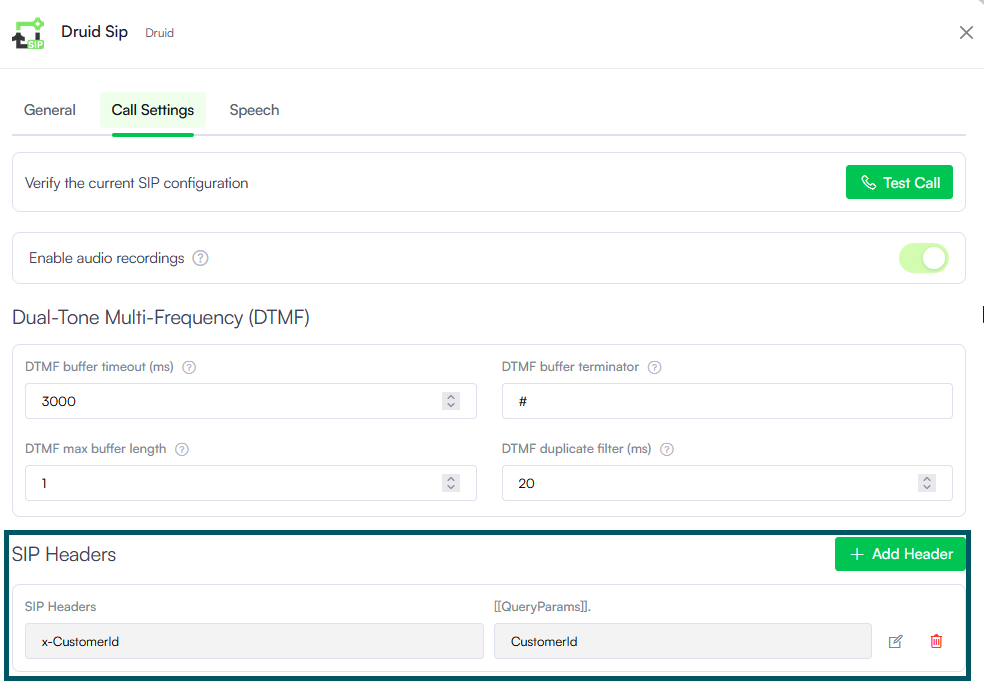
- Druid SIP - Incoming SIP header mapping. Pass rich contextual data directly from your contact center or Session Border Controller (SBC) to your AI Agent using incoming SIP headers.
- Smarter flow logic. Seamlessly map custom incoming SIP headers (such as x-CustomerId) directly to [[QueryParams]] entity fields (e.g., [[QueryParams]].CustomerId) to trigger personalized conversational flows from the moment a call starts.
- Eliminate redundant caller prompts. Utilize pre-existing caller metadata from your contact center or telephony stack, sparing users from re-entering account IDs or authentication tokens.
- Streamlined telephony integration. Easily define mappings in the Druid SIP channel configuration under Call Settings without writing complex code or requiring custom backend middleware.
- Custom Code Execution for REST requests and responses. REST integration tasks now support in-line custom JavaScript execution directly within request and response, eliminating the need for standalone post-processing or pre-processing Custom Code integration tasks.
- REST request payload generation. The new CustomCode request type lets you construct dynamic JSON request bodies conditionally at runtime and assign them to RestContext.RequestBody.
- REST response mapping. The new Use Custom Code Mapping option allows you to access RestContext.ResponseContent to programmatically parse, filter, and map complex or dynamic API response payloads directly to Druid entity fields.
- Knowledge Base - Enhanced answer relevance with Search Priority. You can now weight KB data sources (Low, Normal (default), High) to control search retrieval behavior in vector search. This ensures critical documents (like official procedures or urgent updates) take precedence over general background materials, delivering more accurate, reliable responses to end users.
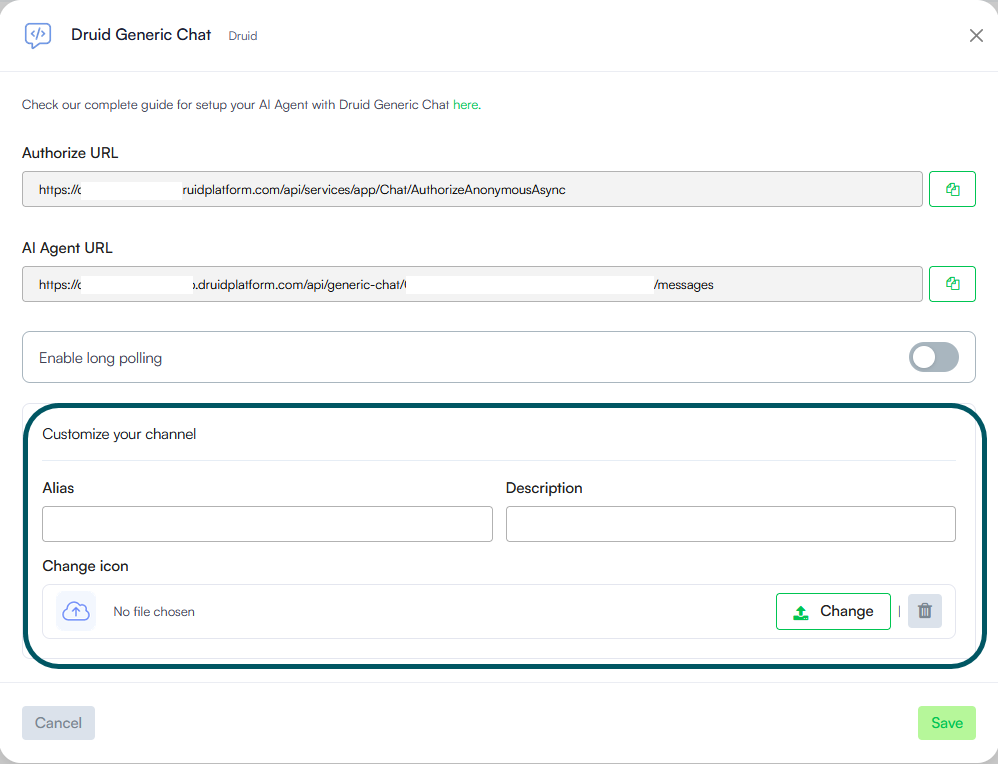
- Channels - custom channel alias & display settings. You can now configure business-friendly display names, custom descriptions, and icons for your communication channels in the Druid Portal.
- Business-friendly reporting. Set an Alias for any channel (stored in [[ChatUser]].ChannelDisplayName) to replace technical system names with clear labels in reporting tools, such as the AI Agent Summary dashboard - Engagement KPIs.
- Flow Engine support. Use [[ChatUser]].ChannelDisplayName directly in flow engine logic for dynamic messaging, conditional routing, and context-rich live agent handovers.
- Add descriptions and custom channel icons to easily identify channel cards within the Druid Portal.
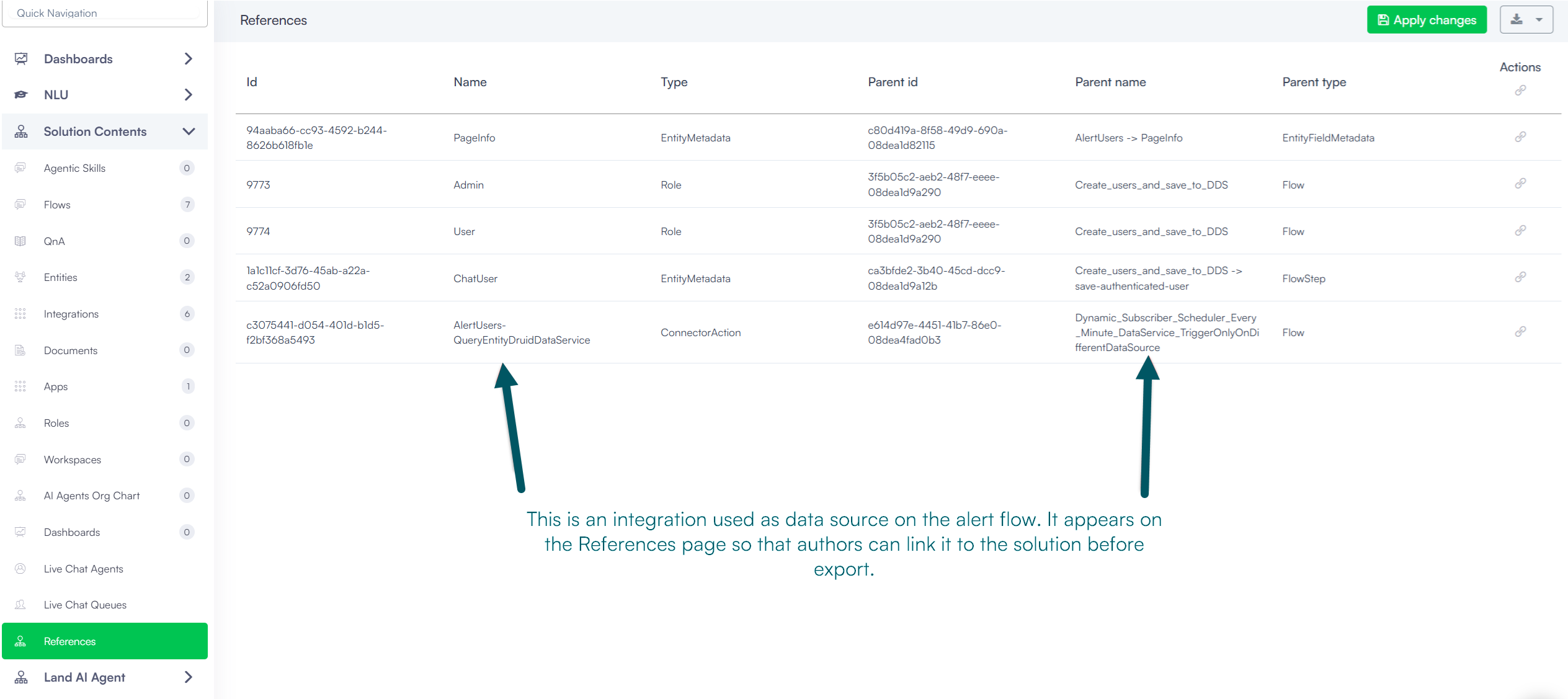
- Solutions Export/Import - Support for Alert Flow dynamic subscribers & data sources. Solution export and import capabilities now preserve Alert Flow configuration details, ensuring seamless deployment across environments:
- Dynamic subscriber retention. When exporting a solution containing an Alert Flow, the system automatically exports Dynamic Subscribers along with their associated data sources.
- Automatic integration references. Integrations referenced by Alert Flow data sources are now listed under Solution References. This allows you to link required integrations directly to the solution prior to export, eliminating missing dependency errors when importing into new environments.
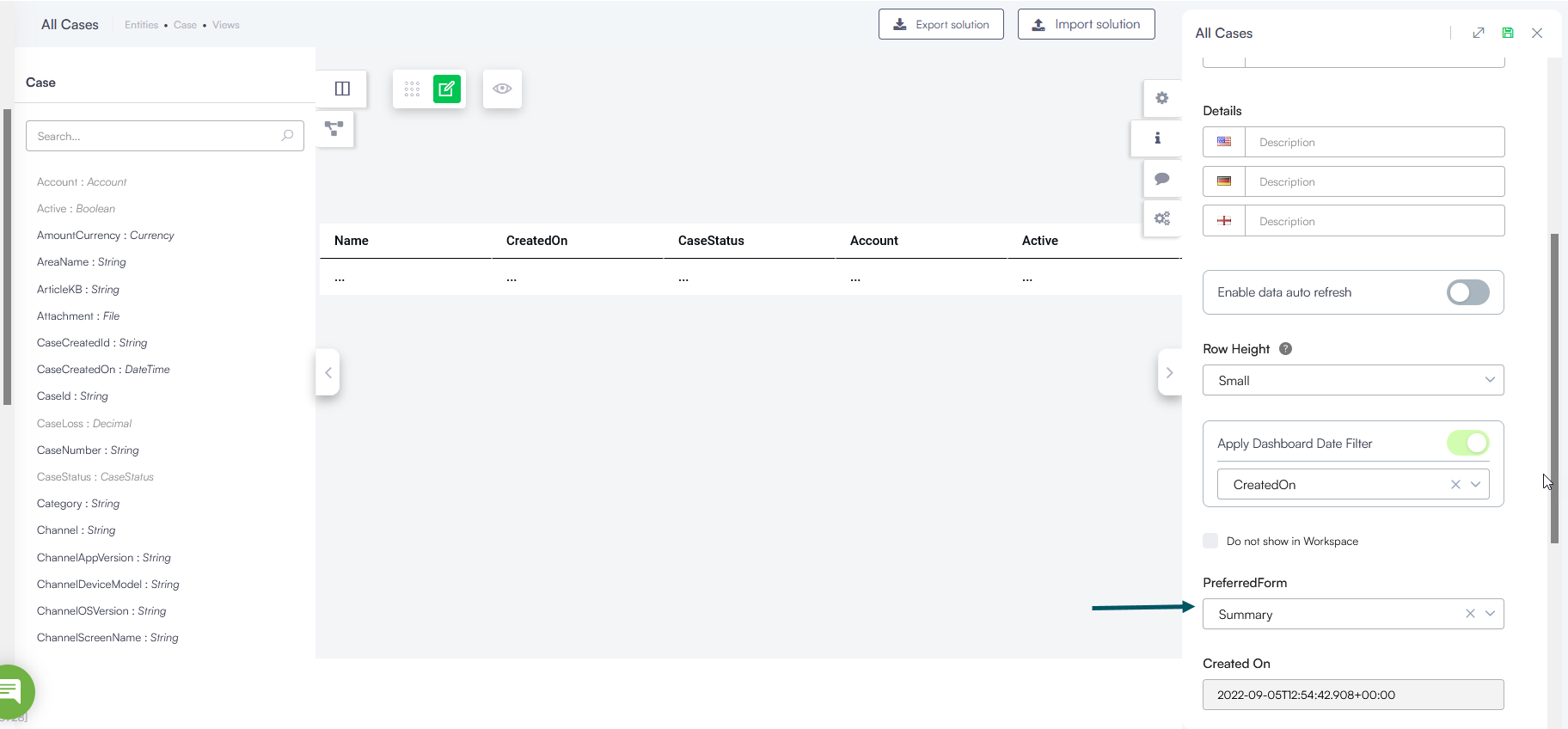
- Web Views- Preferred form per view. In previous versions, the entity's default form was applied across all views, opening whenever a record was selected. You can now specify a custom preferred form for each view directly from the view editor panel. Assign a specific form to a view by selecting Preferred Form in the view editor panel.
Bug Fixes
- Outlook channel fix. Fixed a failure during Outlook channel deactivation where the mailbox subscription was not properly removed. This issue previously caused subsequent channel republishing to fail when attempting to attach a new subscription, leaving re-enabled Outlook channels non-functional. Subscription lifecycles now register and unregister cleanly upon enable/disable actions.