Druid 9.29
Deployment Dates
The table below lists the deployment date of Druid 9.29 across Druid Clouds. To view the Druid Releases Calendar, see Druid Releases.
|
Druid Cloud Community *.community.Druidplatform.com |
Druid Cloud US *.us.Druidplatform.com |
Druid Cloud Australia *au.Druidplatform.com |
Druid Cloud West-Europe (PROD) *.Druidplatform.com |
|---|---|---|---|
| August 13, 2026 | August 27, 2026 | August 27, 2026 | August 27, 2026 |
These release notes give you a brief, high-level description of the improvements implemented to existing features.
If you have questions about your Druid tenant, please contact support@druidai.com or your local Druid partner for more information.
What's New
- Extended Thinking & Reasoning Support for Anthropic Models in LlmStreamer. We’ve expanded the capabilities of the LlmStreamer internal action! You can now use Anthropic models (including Claude Opus 4.5+, Claude Sonnet 5, Sonnet 4.6, and other reasoning-capable endpoints) with full support for real-time streaming and extended thinking and reasoning.
- More precise NLU accuracy insights with new Free-Text KPIs. You can now evaluate NLU accuracy based exclusively on free-text user input, without button selections influencing the results. Three new NLU Accuracy KPIs provide a clearer view of how accurately the conversational model understands freely entered user messages:
- Total Free-Text Accurate – Number of correctly matched free-text messages.
- Free-Text Accuracy – Percentage of correctly matched free-text messages.
- Free-Text Errors – Percentage of incorrectly matched free-text messages.
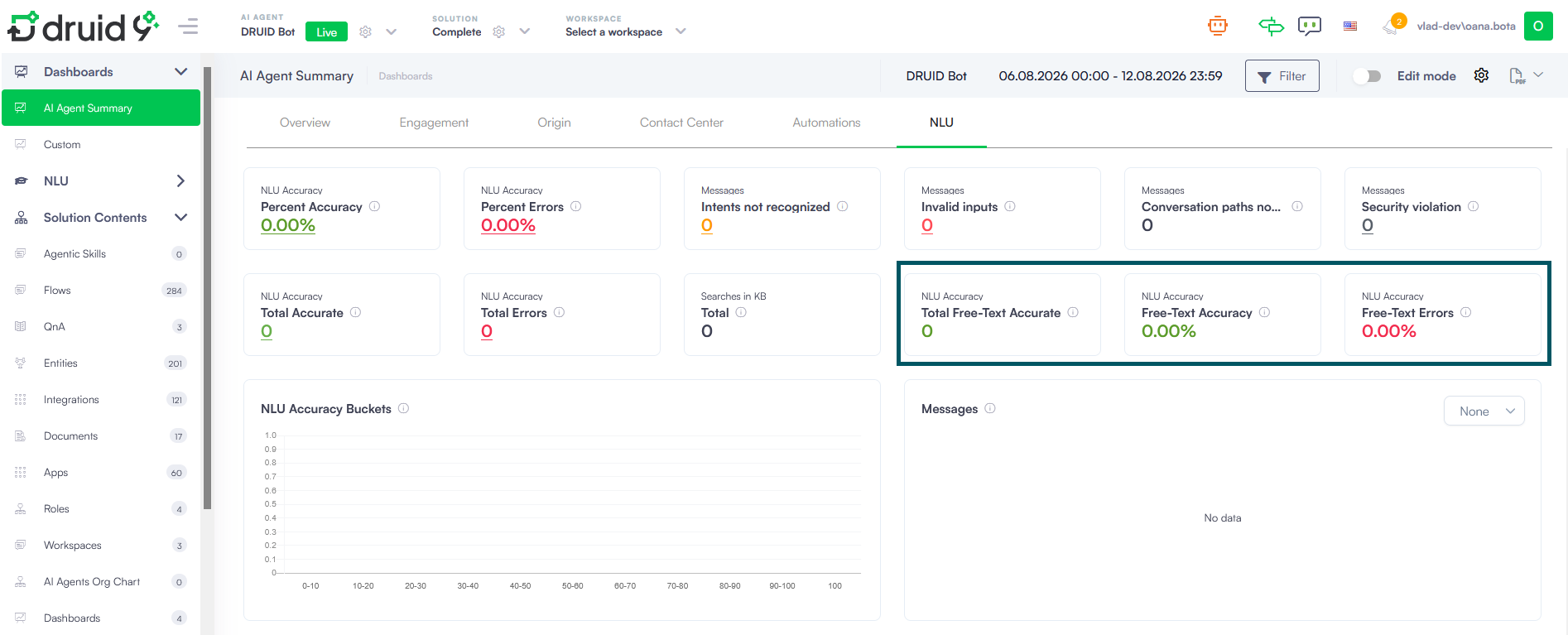
For details about the new KPIs, their calculation, and how to add them to existing AI Agent Summary dashboard, see NLU KPIs.
Improvements
- Sprinklr channel - Enhanced parameter passing. Druid now supports sending custom Contact Center parameters and workflow payload parameters to Sprinklr using the ConnectToHelpdeskAgent internal action.
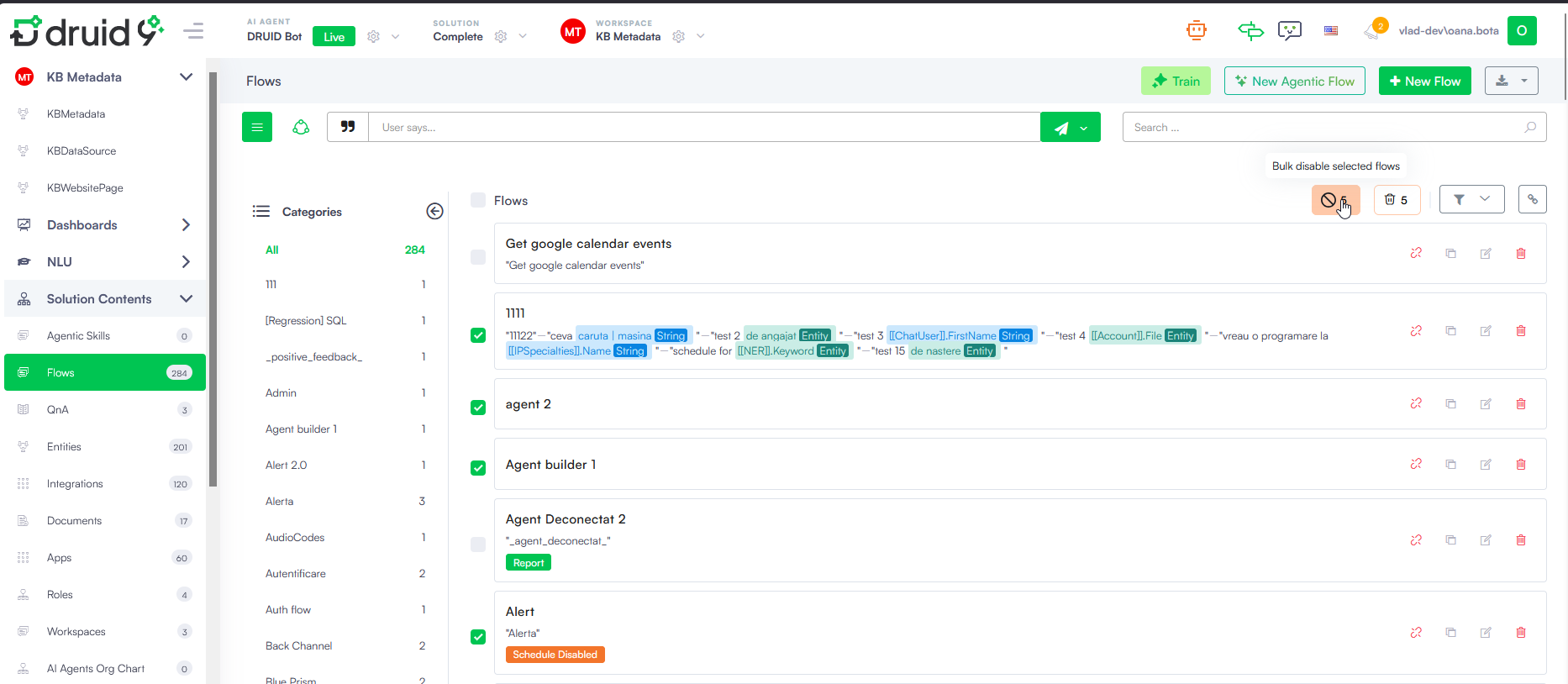
- Flow Management - bulk disable. Managing flow availability in your solutions is now faster and more flexible. Instead of deleting flows or deactivating them one by one, you can now disable multiple flows simultaneously.
- Bulk flow management. Select multiple flows from the Solution Contents > Flows list and click the Bulk disable selected flows icon to deactivate them all at once.
- Safe inactivation. Disabled flows remain stored in your solution for future reactivation without losing their underlying business logic or configuration.
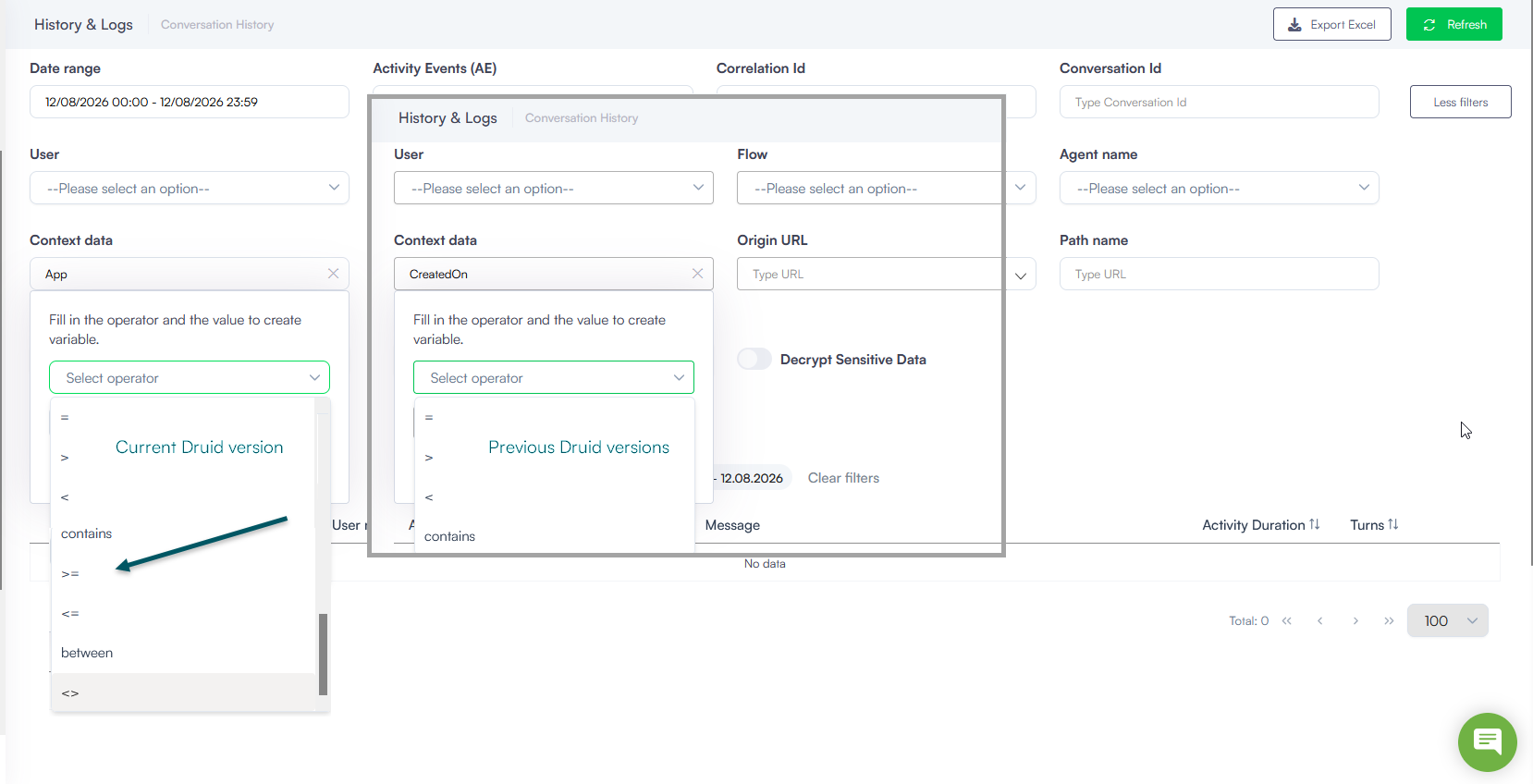
- Conversation History - Enhanced Context Data filtering. Added support for new operators (>=, <=, <>, and between) in the Context Data filter, enabling range-based and custom value queries across conversation activity data.
- Expanded message status and typing events. Added support for real-time typing indicators and message delivery statuses (sent, received, and read) for WhatsApp via RingCentral and WhatsApp by Meta.
Bug Fixes
- Welcome flow execution fix. Resolved an issue where the Welcome Flow could trigger multiple times in certain situations. It now reliably triggers only once per conversation.
- iOS virtual keyboard fix. Fixed an issue where custom virtual keyboards (e.g., GBoard or SwiftKey) stopped popping up during active chat sessions on iOS devices, preventing message input.
- Dashboard PDF page splitting. Fixed layout issues when exporting dashboards to PDF by ensuring each dashboard tab downloads on an individual page.