Score Calculator
The Score Calculator section allows you to configure multiple score calculation strategies for optimizing search results within the Knowledge Base (KB). These strategies define how search queries are processed using a combination of keyword (Text) search, semantic (Vector) search, and an optional reranker to refine the results.
Matching Score Calculation
The matching score for a search result is determined using the following formula:
Matching Score = (Text Score × Text Weight) + (Vector Score × Vector Weight) + (Reranker Score × Reranker Weight)
The Knowledge Base (KB) comes with a default score calculator strategy, which balances keyword (Text) search and semantic (Vector) search. If needed, you can customize it or add new score calculator strategies to better fit your use case.
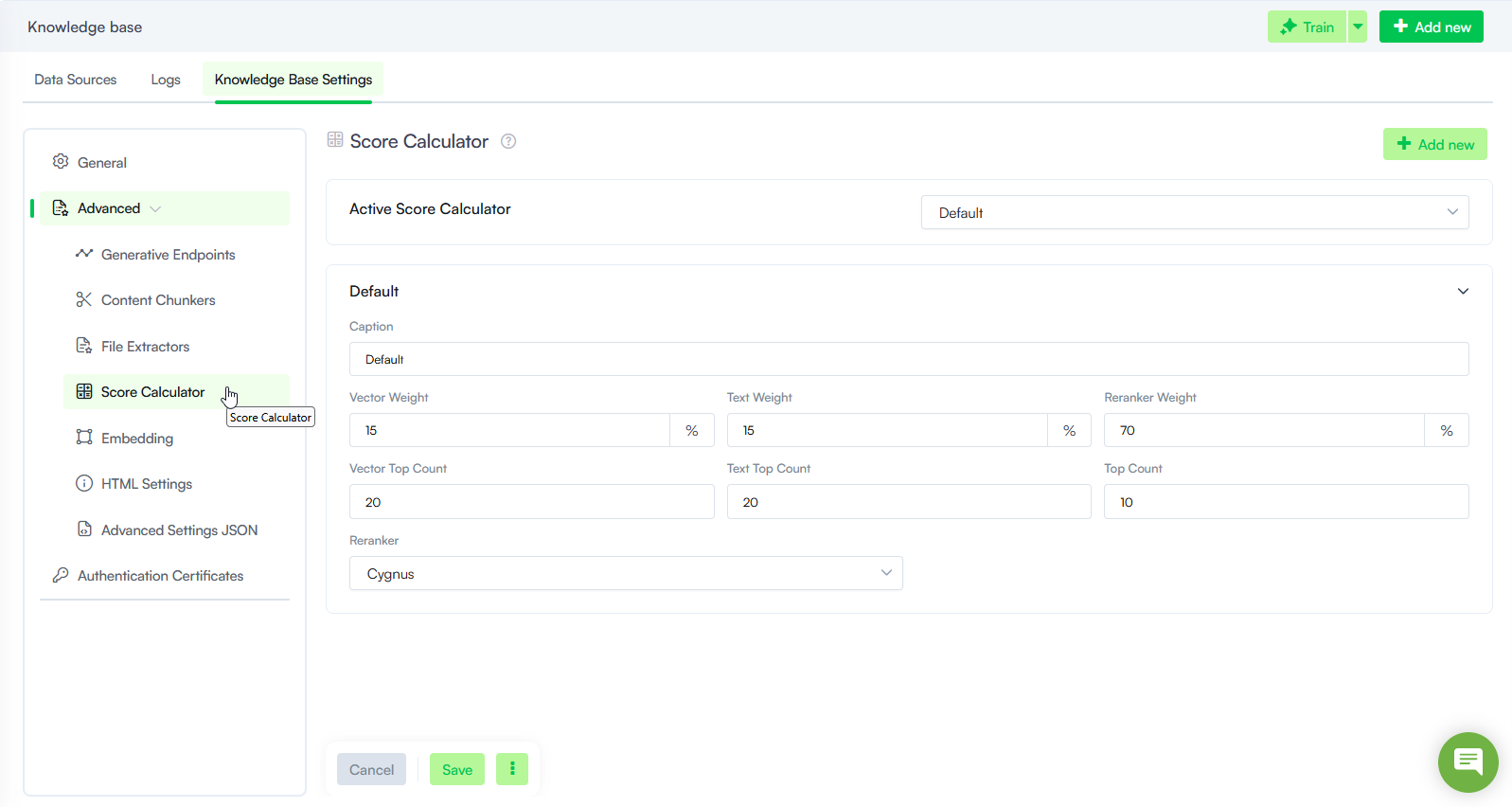
Add a Score Calculator Strategy
To create a new score calculator strategy, follow these steps:
- Navigate to Advanced > Score Calculator.
- Click on the Add new button.
- Set the score calculator strategy parameters described below.
- Click Save.
Score Calculator Parameters
Configure these fields for each strategy:
| Parameter | Description |
|---|---|
| Caption | The display name of the score calculator strategy. It appears in the Active Score Calculator dropdown. |
| Vector Weight | The percentage of the final matching score contributed by semantic (Vector) search. Increase this value when meaning and context matter more than exact keywords. Decreasing this value may lead to more accurate results. |
| Text Weight | The percentage contributed by keyword (Text) search. Increase this value when exact terms, names, or phrases are critical. Increasing this value may result in more noise in search results. |
| Reranker Weight |
The percentage contributed by the reranker. Set to 0 only if you disable reranking by choosing no reranker (where supported). Otherwise, allocate weight based on how much you want the reranker to influence the final ranking. NOTE: Vector Weight, Text Weight, and Reranker Weight must total 100.
|
| Vector Top Count |
The maximum number of candidates returned by semantic (Vector) search before reranking and final selection. |
| Text Top Count | The maximum number of candidates returned by keyword (Text) search before reranking and final selection. |
| Top Count | The total number of top matches returned to the KB engine after scoring and reranking. |
| Reranker |
The reranking engine applied to refine search results. Options depend on your Druid version and tenant configuration.
|
Active Score Calculator
From the Active Score Calculator dropdown, choose which strategy applies to the KB.