Outbound Call Simulation
Authors can configure and simulate outbound calling campaigns for demonstration purposes directly through the web widget interface.
Configure demo outbound calls
To configure the simulation of outbound call campaigns, follow these steps:
- Navigate to your AI Agent details and click the Channels tab.
- Search for Websnippet and click on the channel card.
- Click the Voice tab, then click the Customize websnippet button.
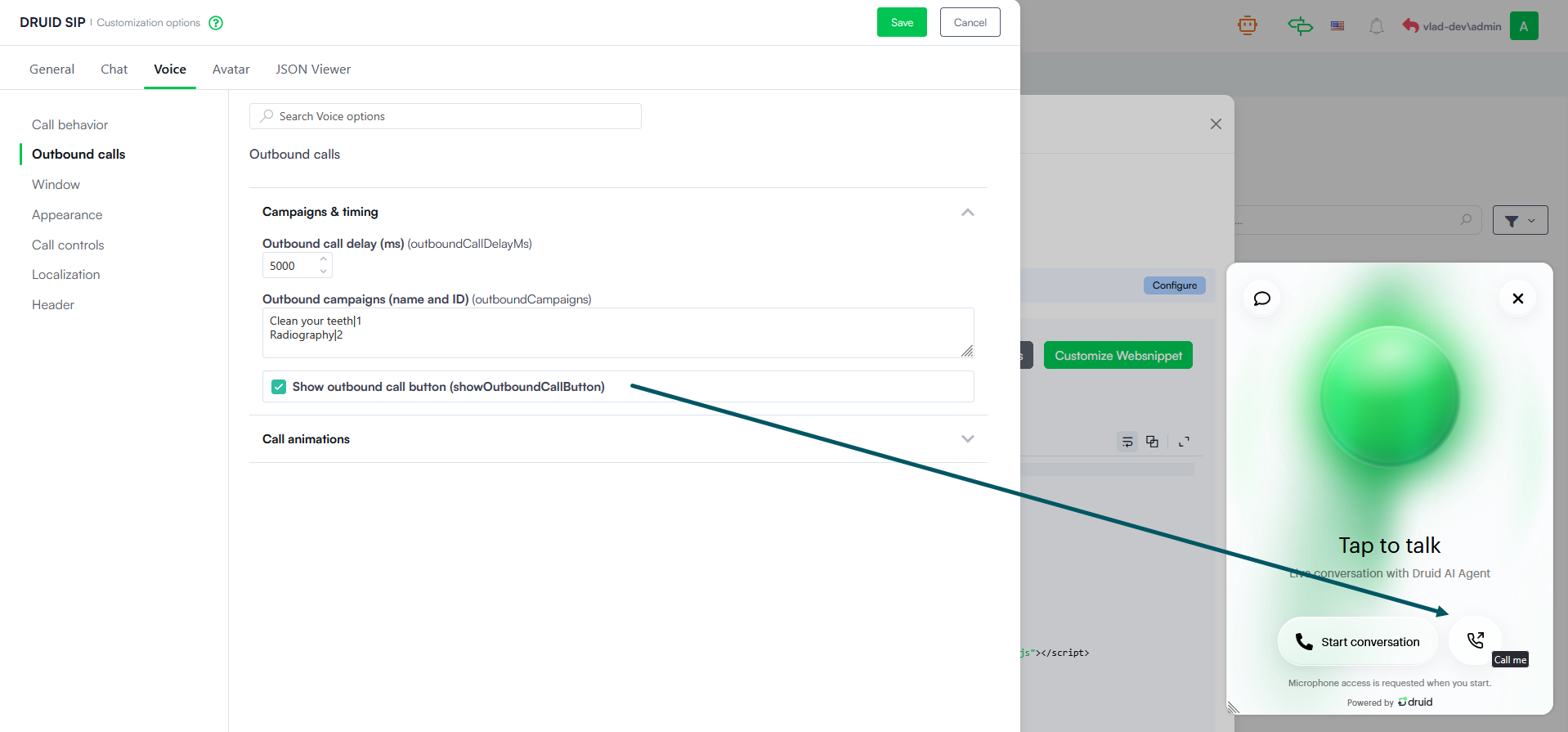
- From the left-hand menu, select Outbound calls.
- Under Campaigns & timing, configure your desired settings:
- Set your preferred Outbound call delay (ms).
- Define your Outbound campaigns (name and ID).
- Ensure that Show outbound call button (showOutboundCallButton) is selected; otherwise, you will not be able to simulate the outbound call.
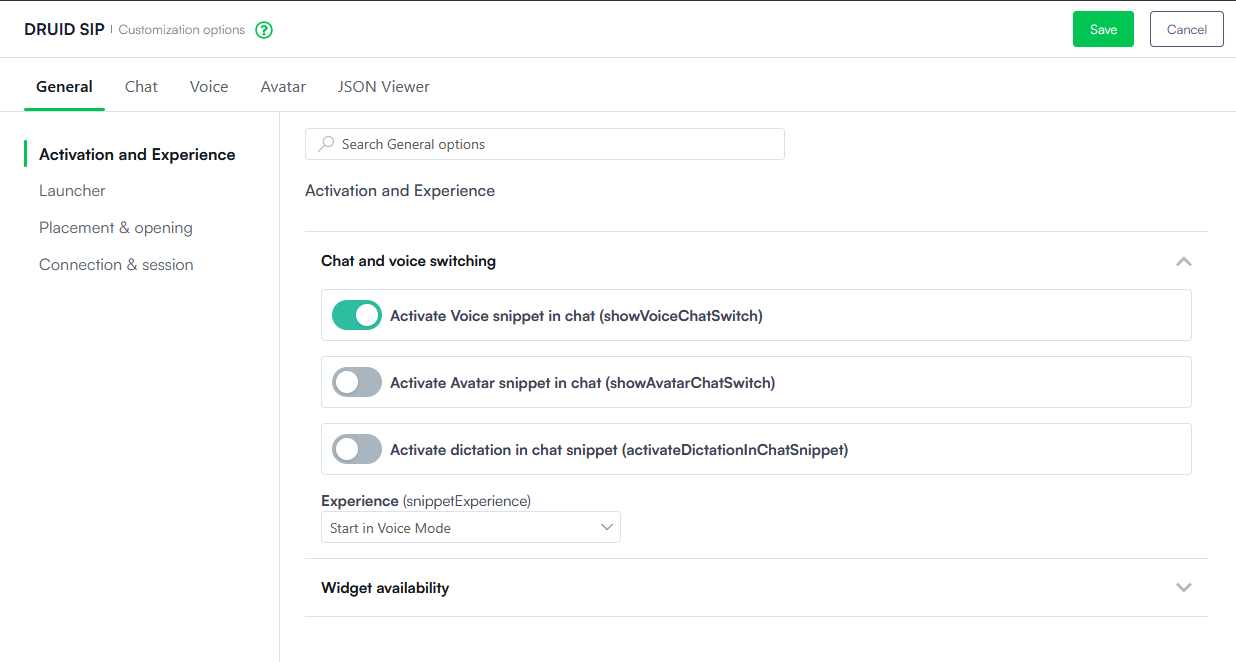
- Click the General tab at the top.
- Go to Activation and Experience > Chat and voice switching and ensure that only Activate Voice snippet in chat (showVoiceChatSwitch) is selected.
- Save the configuration, then save the channel.
Simulate an outbound call
Once configured, follow these steps to simulate the outbound campaign:
- Click the widget bubble on your page.
- Click the Call me button in the window.
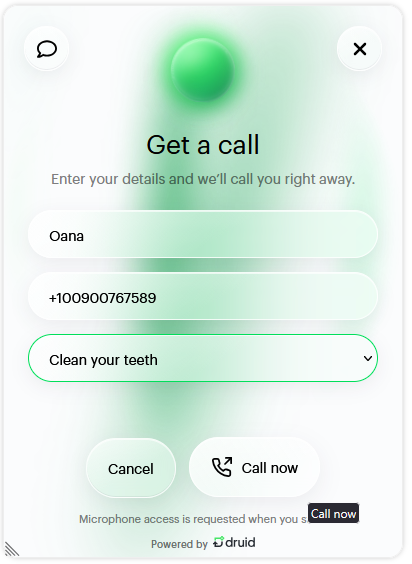
- Enter your Name and Phone number, select the desired Campaign, and click the Call now button.
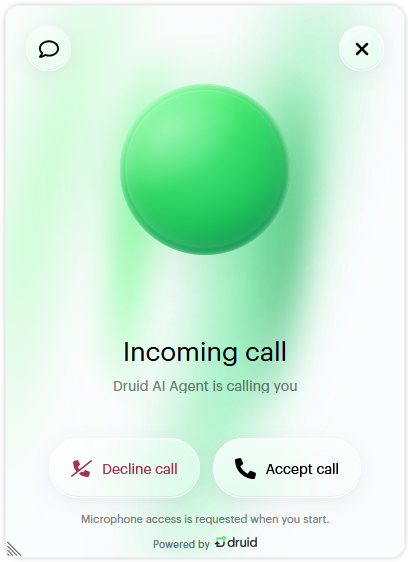
- You will receive an incoming call notification; allow the system to use your microphone if prompted and click Accept call to start talking.
- Talk to the AI Agent and end the conversation whenever you want by clicking End conversation.
Conversation Context
The following information is stored in the conversation context under [[QueryParams]]:
- [[QueryParams]].Name — The user's entered name.
- [[QueryParams]].Phone — The user's entered phone number.
- [[QueryParams]].CampaignId — The selected campaign ID.
- [[QueryParams]].CallType — Set to outbound for simulated outbound calls.