REST
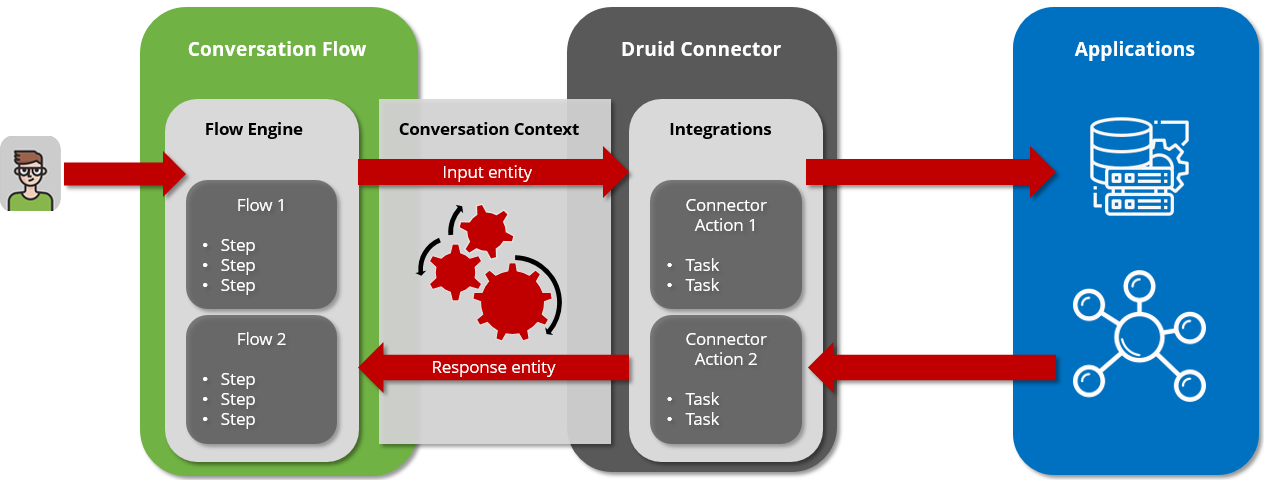
The Druid AI Platform leverages standard REST APIs to establish seamless connectivity with external enterprise systems. Executed directly by the platform Flow Engine, these integrations package real-time conversational variables into external API requests and map the returned data payloads back into the ongoing conversation context.
Core Architecture
Data transfer between the platform and external systems relies entirely on two primary system components:
- Request Entity (Data Outbound): A structured data container that aggregates context variables, user inputs, and metadata from the active session to deliver to the target system.
- Response Entity (Data Inbound): A structured data container configured to receive external payloads (typically JSON/XML) and map them back into conversation context variables.
Technical Workflow Execution
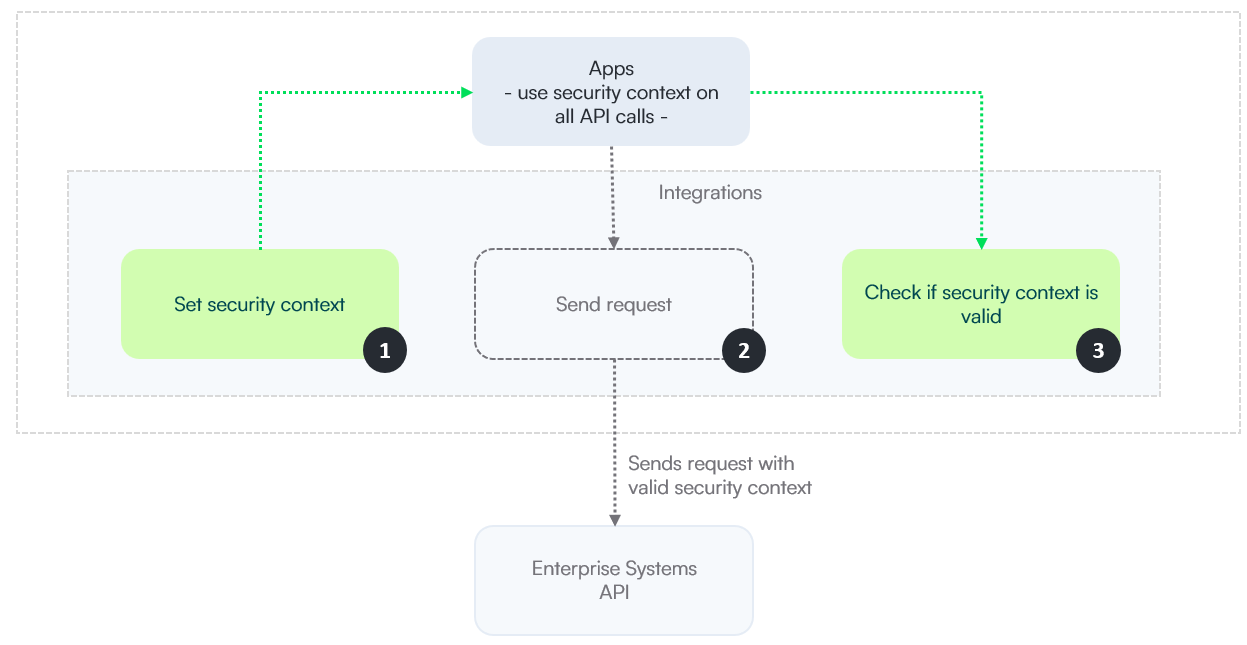
The Flow Engine processes REST integrations through a cyclical security and authentication lifecycle to maintain secure, persistent sessions.
Step 1: Security Context Retrieval
Prior to executing business logic tasks, the platform establishes connection authorization. It targets the identity provider or application authentication endpoint to retrieve the required session validation data (e.g., Bearer tokens, API keys, basic authentication hashes).
Step 2: Business API Execution
The Flow Engine dispatches the core application request to the specified resource endpoint path, injecting the security context retrieved in Step 1.
Step 3: Token Validation & Expiration Loop
Upon receiving the external API response payload, the platform validates system access status:
-
Token Valid: If the HTTP status code evaluates to success (e.g., 200 OK) and response content confirms access, data mapping proceeds to the target Response Entity.
-
Token Expired/Invalid: If the external API returns an authorization error (e.g., 401 Unauthorized), the platform intercepts the error, clears the invalid cached security context, and loops automatically back to Step 1 to renew authentication. This recovery loop handles expired sessions transparently without failing the interaction flow or breaking conversation continuity.
 Related Topics