Map the Response Payload as a String
There are cases when you might want to save the entire JSON /XML response payload as a string in a DRUID entity (without mapping the specific fields in the JSON content) and pass it to other external services.
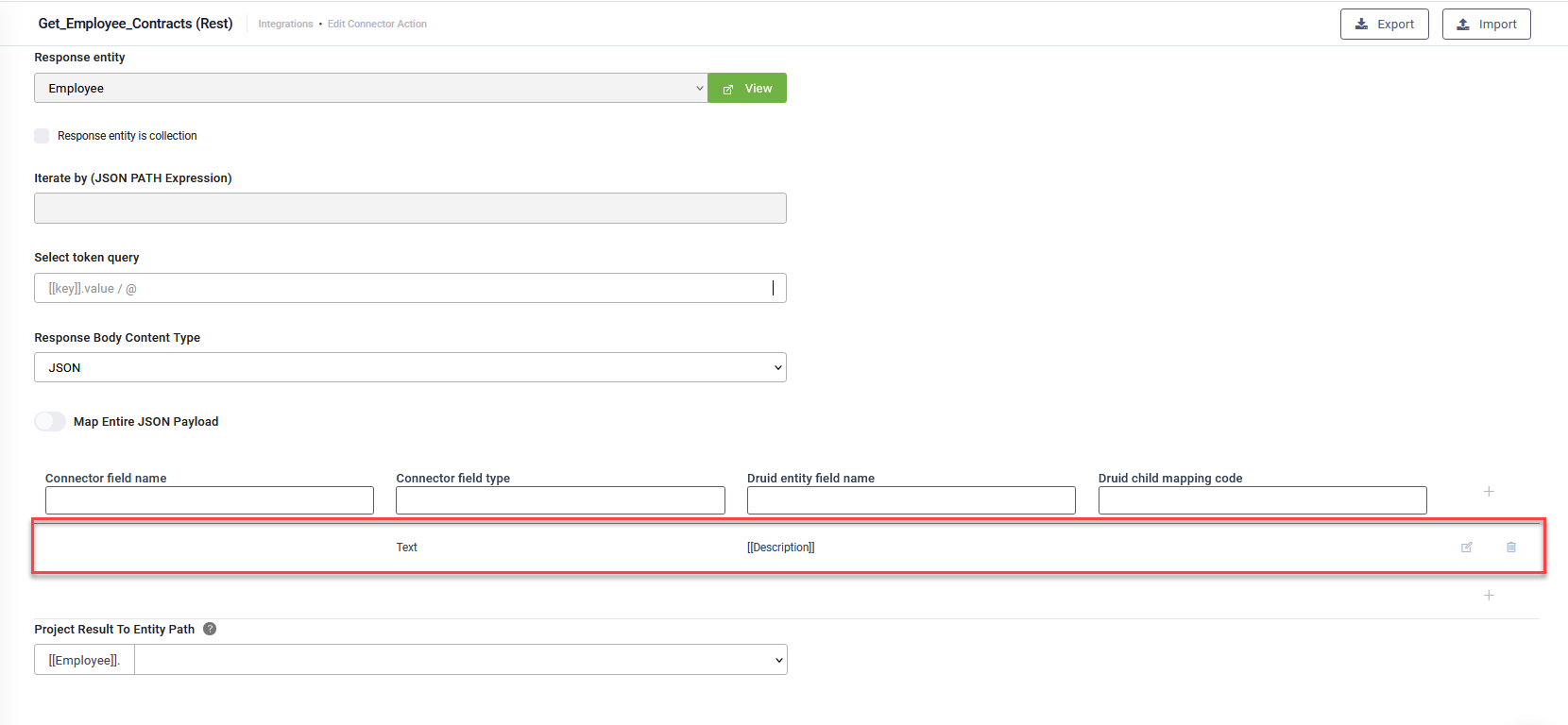
To save the entire response payload as a string, follow these steps:
- From the Response Body Content Type field, select JSON or XML based on the expected response type.
- In the mapping table, click the Add icon next to the mapping line.
- Leave the Connector field name field empty.
-
From the Connector field type field, select Text.
- In the Druid entity field name, type [[, select the entity, then select the entity field where you want to save the full JSON response payload as string. The entity field you select here needs to be a string-type field.
- Click the Save icon next to the mapping line.
- Save the integration task.
Info: The entire response payload object will be stringified and saved in the specified DRUID field.
Example: Full JSON response payload as string mapping
