Viewing and Managing Entities in a Flow
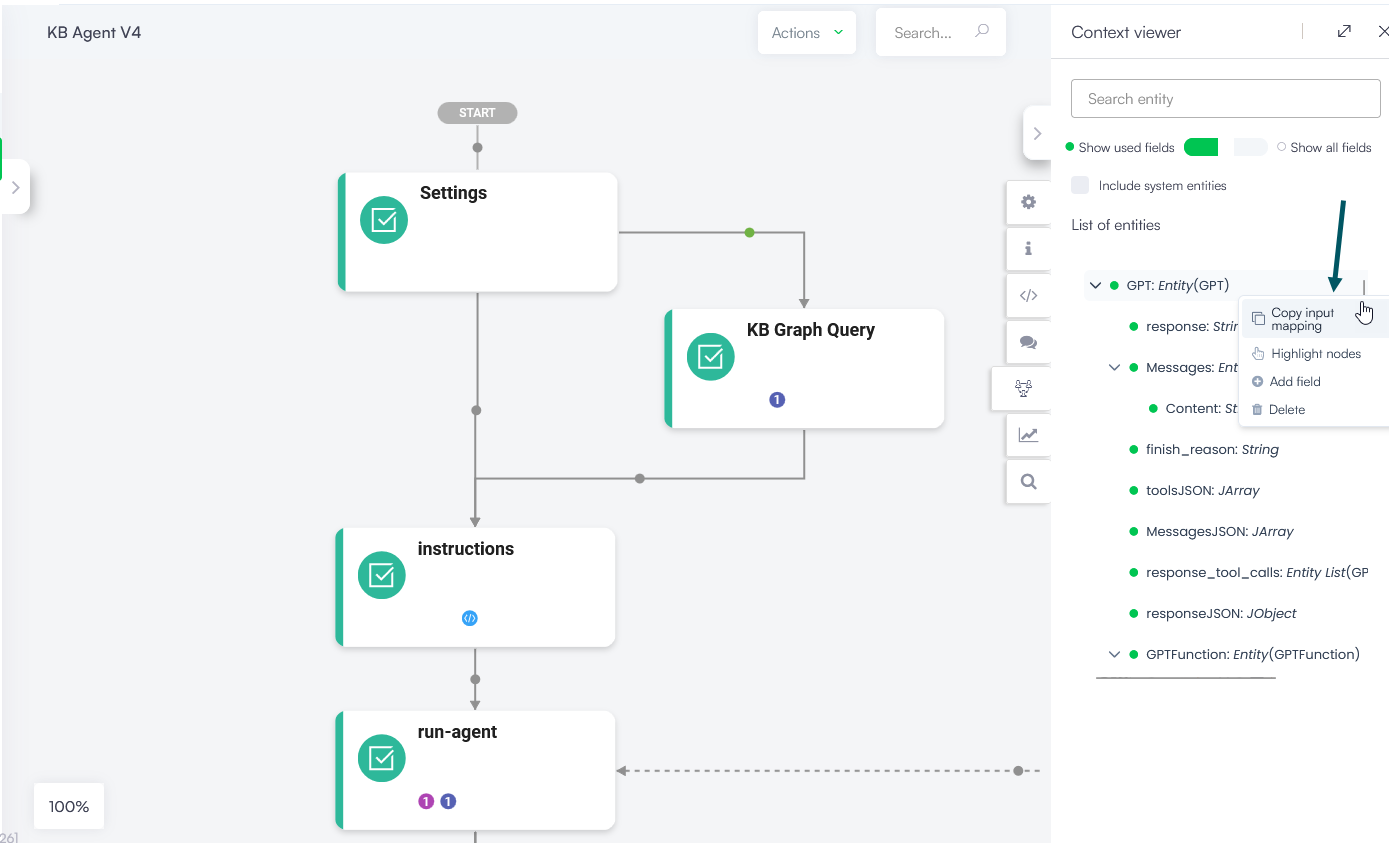
When building a conversational flow, keeping track of which entities and fields are used across steps can quickly become complex. The Entity Context Viewer gives you a centralized view of all entities used throughout the current flow, helping you author more accurately and efficiently.
You can use the Entity Context Viewer to:
- See which entities and fields are active across the flow
- Identify exactly which steps use a specific entity or field
- Copy entity field labels for use in messages, variables, input mapping, or integrations
- Add new entity fields without leaving the flow
- Delete unused entity fields
Accessing the Entity Context Viewer
To open the Entity Context Viewer, in the Flow Diagram, click the Entity context icon. The Context viewer panel appears on the right side of the screen.

By default, the viewer lists all non-system entities and their fields that are used throughout the current flow.
Filtering the Entity List
| Control | Description |
|---|---|
| Use fields only | Lists only the entity fields that are used throughout the flow. |
| All fields | Lists all entity fields regardless of whether they are used in the flow. |
| Include system entities | Includes system entities used throughout the flow in the listing. |
Working with Entities and Fields
Right-click on any entity or field to access the following actions:
| Action | Description |
|---|---|
|
Copy input mapping |
Copies the entity or field label to the clipboard so you can paste it into messages, variables, input mapping, or integrations. |
| Highlight nodes | Highlights all flow steps where the selected entity or field is used, making it easy to locate relevant steps. |
| Add field | Available on entities only! Opens the Create new entity field page so you can add a new field directly without navigating away from the flow. For more information, see Adding Fields. |
| Delete | Deletes the selected entity or field after confirmation. NOTE: Unused entity fields may still be referenced in other flows. Before deleting, verify that removal does not affect your AI Agent informational model. |
 Related Topics