Social Media Reactions Flow
The Social media reactions flow is a special flow that allows authors to handle user reactions to social media stories (such as Instagram story reactions).
By default, all story reactions are ignored by Druid, and the AI Agent does not react or execute any flow.
When configured, Druid captures reaction events sent by social media channels and passes the reaction value (e.g., heart, applause, fire) to the AI Agent within [[Intent]].Text, allowing it to process or respond to user reactions accordingly.
Channel Compatibility
- Instagram: Supported for story reactions.
Create and configure the Social media reactions flow
To enable handling of story reactions, create a flow to process the incoming reaction value and set it on your AI Agent:
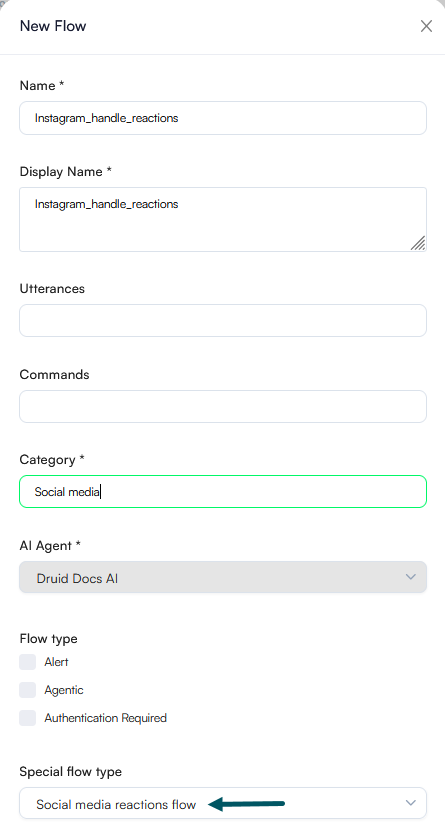
- In the Flow Designer, create a new flow designed to handle story reactions and make sure to select Social media reactions flow from the Special flow type dropdown.
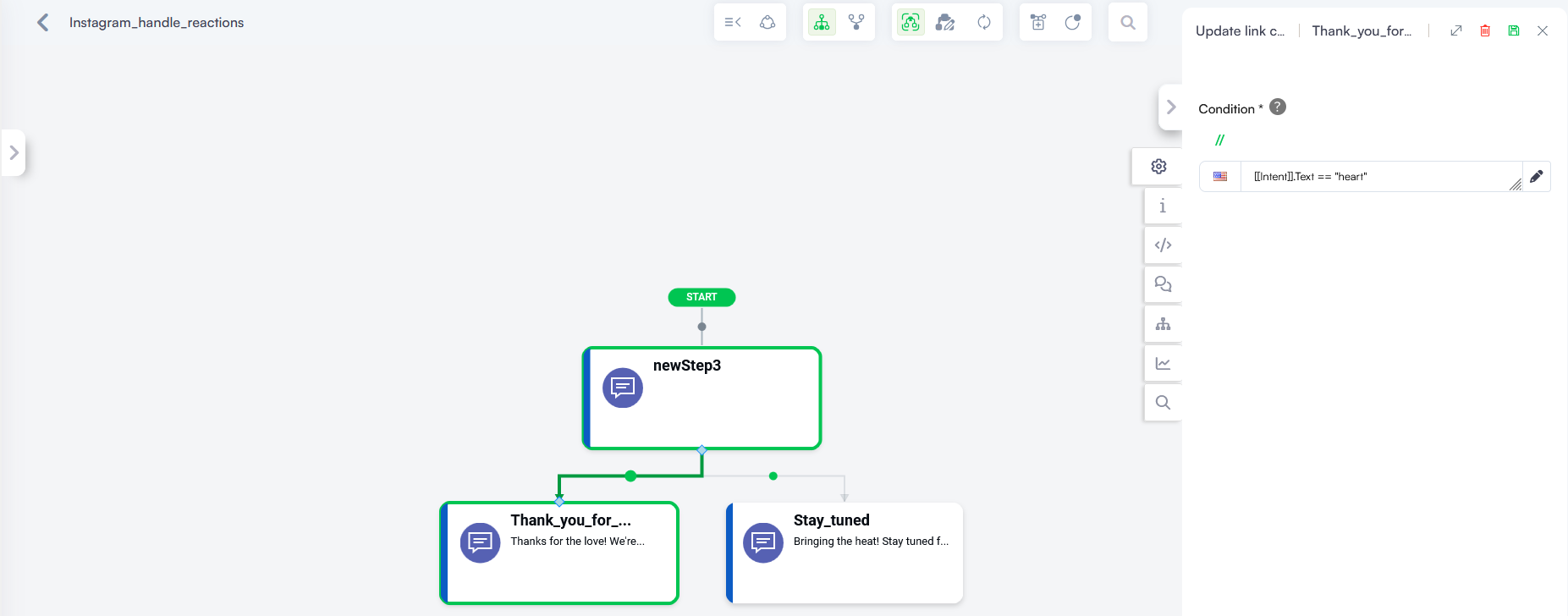
- Add condition steps or logic referencing [[Intent]].Text to determine the received reaction type (e.g., checking if [[Intent]].Text contains specific values like "fire" or "heart") and trigger appropriate AI Agent actions or messages.
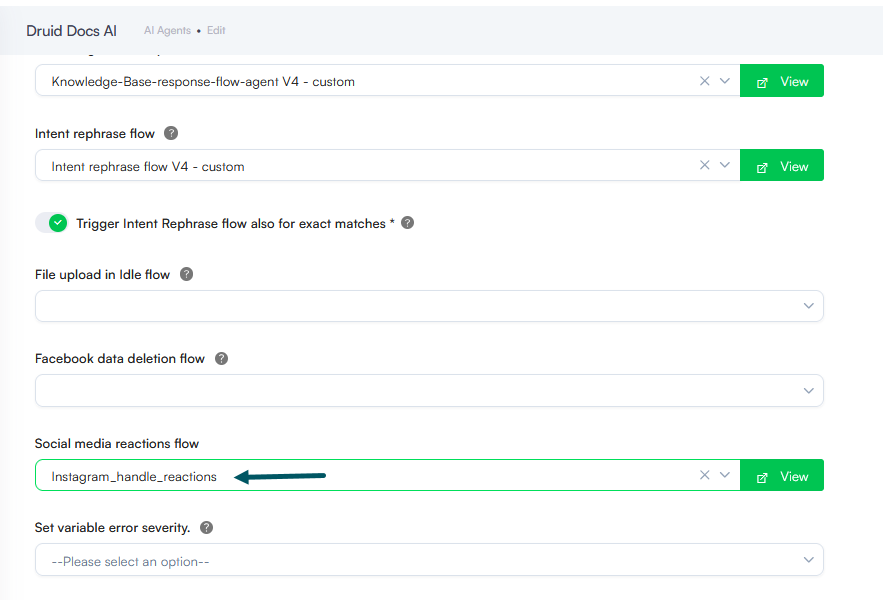
- Navigate to AI Agent Details.
- Click on Dialogue Management.
- Locate the Social media reactions flow dropdown and select the flow you created.
- Click Save.
How It Works
When the Social media reactions flow is configured:
- A user sends a reaction to a story on a supported social channel (e.g., Instagram).
- Druid receives the reaction event from the channel.
- Druid sets [[Intent]].Text to the string representation of the reaction value.
- Druid triggers the Social media reactions flow.
- The flow executes the custom logic defined by the author to process the reaction.