Redirect to Another Step
In a conversational flow, steps are typically executed in sequence. However, you can redirect the conversation to any existing step in the dialog — skipping ahead, looping back, or branching based on a condition. This gives you greater control over the conversation path without duplicating steps.
To redirect the conversation to another step:
- Position the cursor on the flow step you want to redirect from and click the Link to Step icon. The Link step pop-up appears.
- From the Link step dropdown, select the destination step.
- Optionally, add a condition to trigger the redirect only when specific criteria are met.
- Click Save.
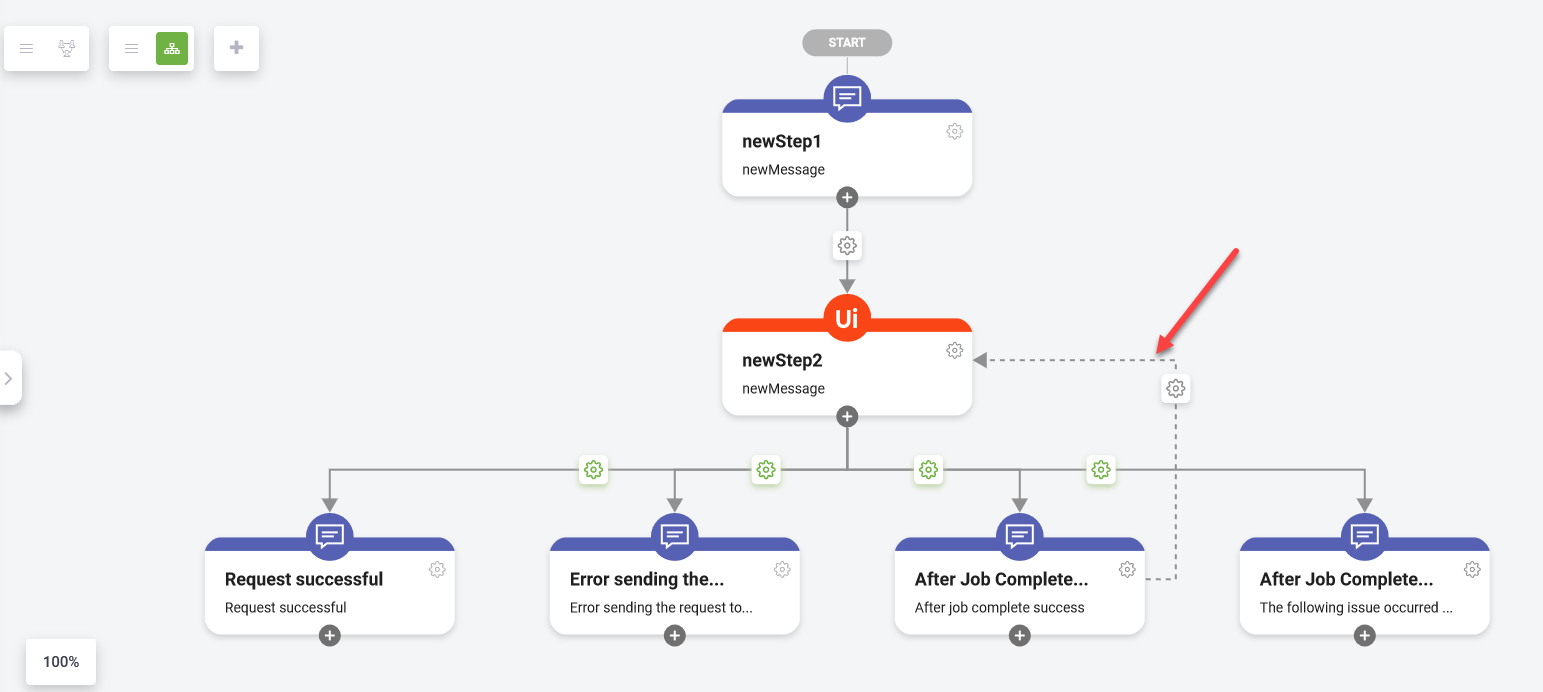
A soft link is created between the two steps.
 Related Topics