Druid 9.21
Deployment Dates
The table below lists the deployment date of Druid v9.21 across Druid Clouds. To view the Druid Releases Calendar, see Druid Releases.
|
Druid Cloud Community *.community.Druidplatform.com |
Druid Cloud US *.us.Druidplatform.com |
Druid Cloud Australia *au.Druidplatform.com |
Druid Cloud West-Europe (PROD) *.Druidplatform.com |
|---|---|---|---|
| April 23, 2026 | May 07, 2026 | May 07, 2026 | May 07, 2026 |
These release notes give you a brief, high-level description of the improvements implemented to existing features.
If you have questions about your Druid tenant, please contact support@Druidai.com or your local Druid partner for more information.
Improvements
- Enhanced Agent Availability Filtering. The GetOnlineHelpdeskAgents internal action now provides a more accurate count of available staff by filtering out inactive sessions. An agent is only included in the list if they meet all active status criteria: they must be logged in without a logout request, possess a stable socket connection, and be outside of any current or requested break periods.
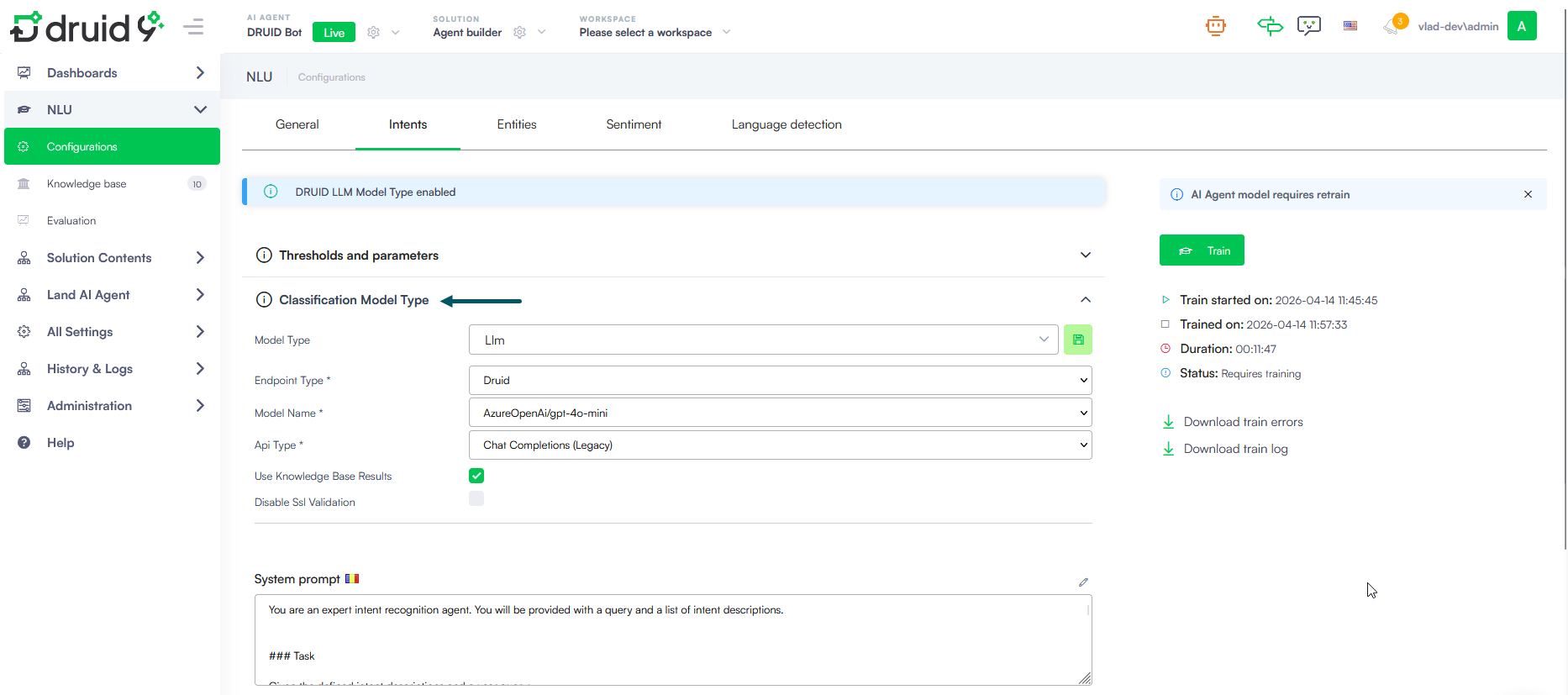
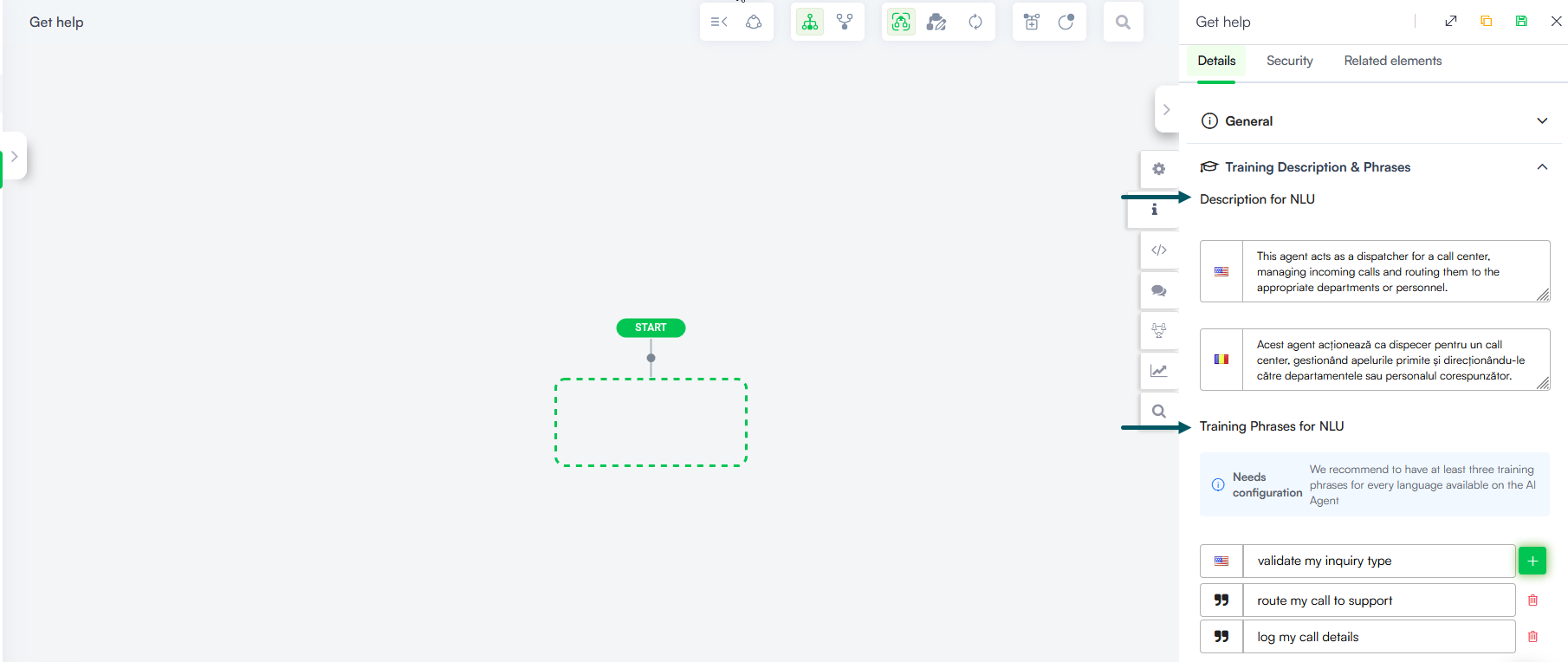
- Improved Intent Configuration and terminology. We have streamlined the intent authoring process by consolidating NLU-related fields and refining terminology to better reflect their function within the platform:
- Terminology Updates:
- Description LLM is now Description for NLU.
- Training Phrases is now Training Phrases for NLU.
- In the NLU Intent configuration settings, the NLU Intents classification section has been renamed to Classification Model Type to provide a clearer indication of its purpose.
- Unified NLU Training. To simplify the authoring experience, the Training Phrases and Description for NLU (formerly Description LLM) are now grouped within a single Training Description & Phrases section in the flow configuration. This unified view allows authors to manage both context for accurate intent classification and example phrases in one place across all AI Agent languages.
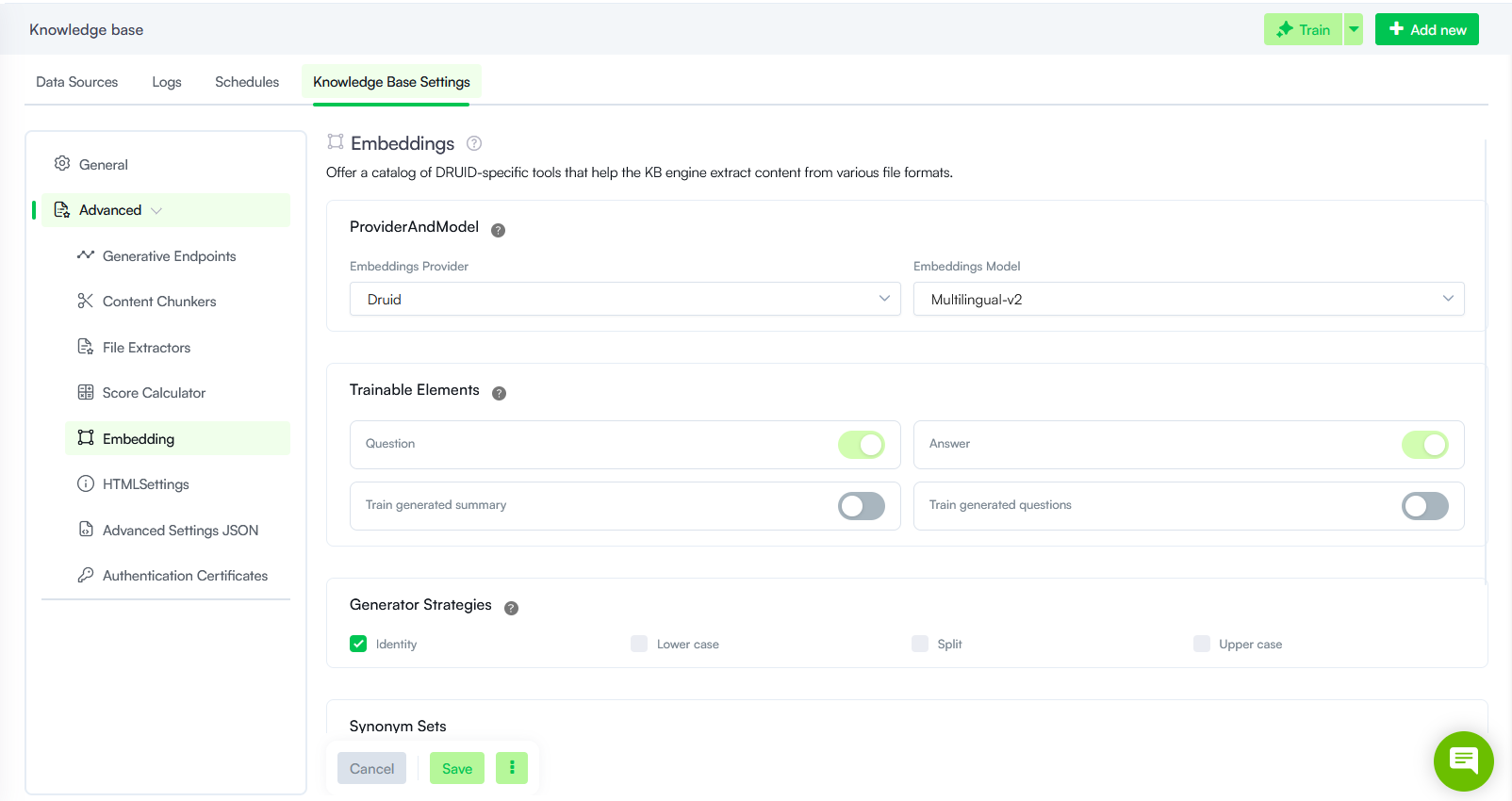
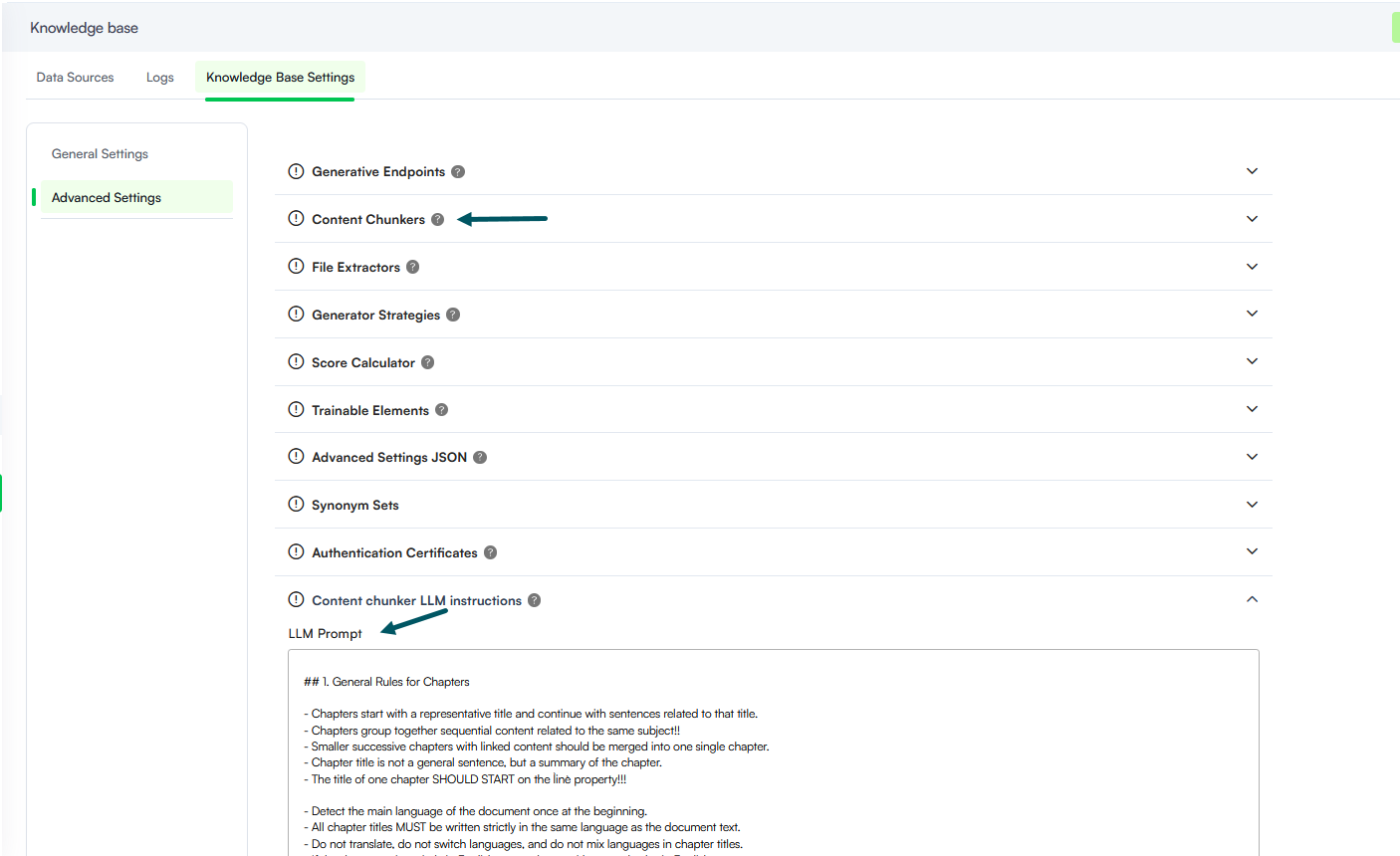
- Knowledge Base - Advanced Settings Redesign. We redesigned the Knowledge Base Advanced Settings to improve usability, navigation, and overall configuration clarity. The updated experience replaces the previous accordion-based layout with a more structured, sidebar-driven approach.
- Sidebar Navigation. Navigate configuration categories such as Generative Endpoints, Content Chunkers, and Embedding using a persistent left-hand menu. This reduces scrolling and allows faster switching between settings.
- Focused Workspace. Each settings category now opens in a dedicated workspace, minimizing visual clutter and helping you focus on the active configuration.
- Settings Reorganized. Specific advanced settings have been reorganized under logical categories to better reflect their usage:
- Embeddings: Serves as an umbrella category for Embeddings Provider and Model, Trainable Elements, Generator Strategies and Synonym Sets.
HTML Settings: A new category grouping HTML Selector Tags to Ignore, Link Patterns to Ignore, and HTML Post Render Script.
- Centralized Actions. Save and reset actions are grouped in a compact action menu.
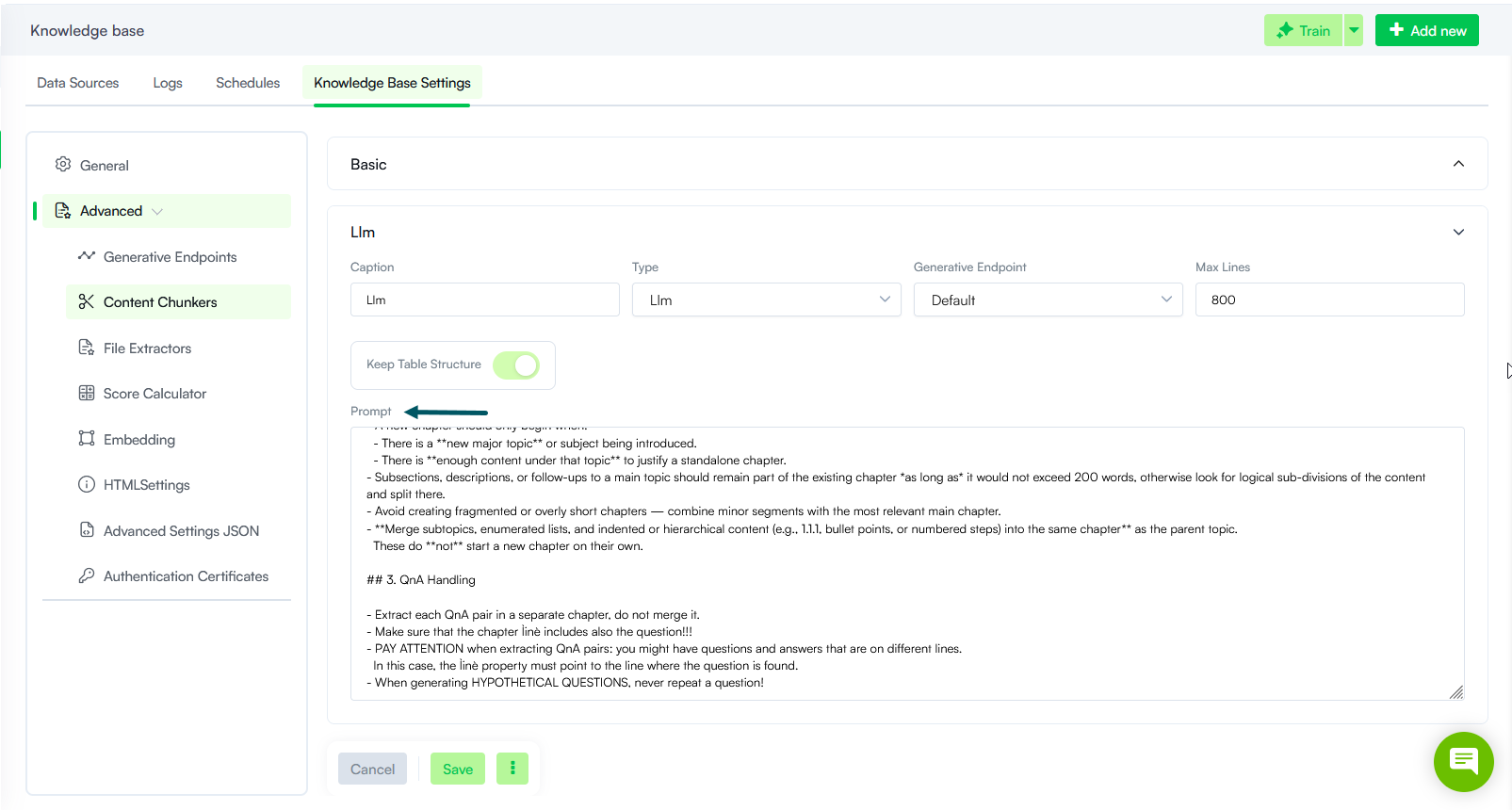
- Knowledge Base - LLM Chunker Prompt Configuration. Previously, a single LLM prompt governed all content chunking across the Knowledge Base. With this release, you can now define multiple LLM chunkers, each with its own unique prompt. This allows you to optimize instructions based on the specific structural nuances of your source material, such as websites, text-heavy PDFs, or complex Excel tables. By applying specific context to different document types, the Knowledge Base engine achieves significantly higher extraction accuracy. Whether processing structured tables or unstructured data, the engine ensures high-quality data retrieval by using instructions tailored to the content format.
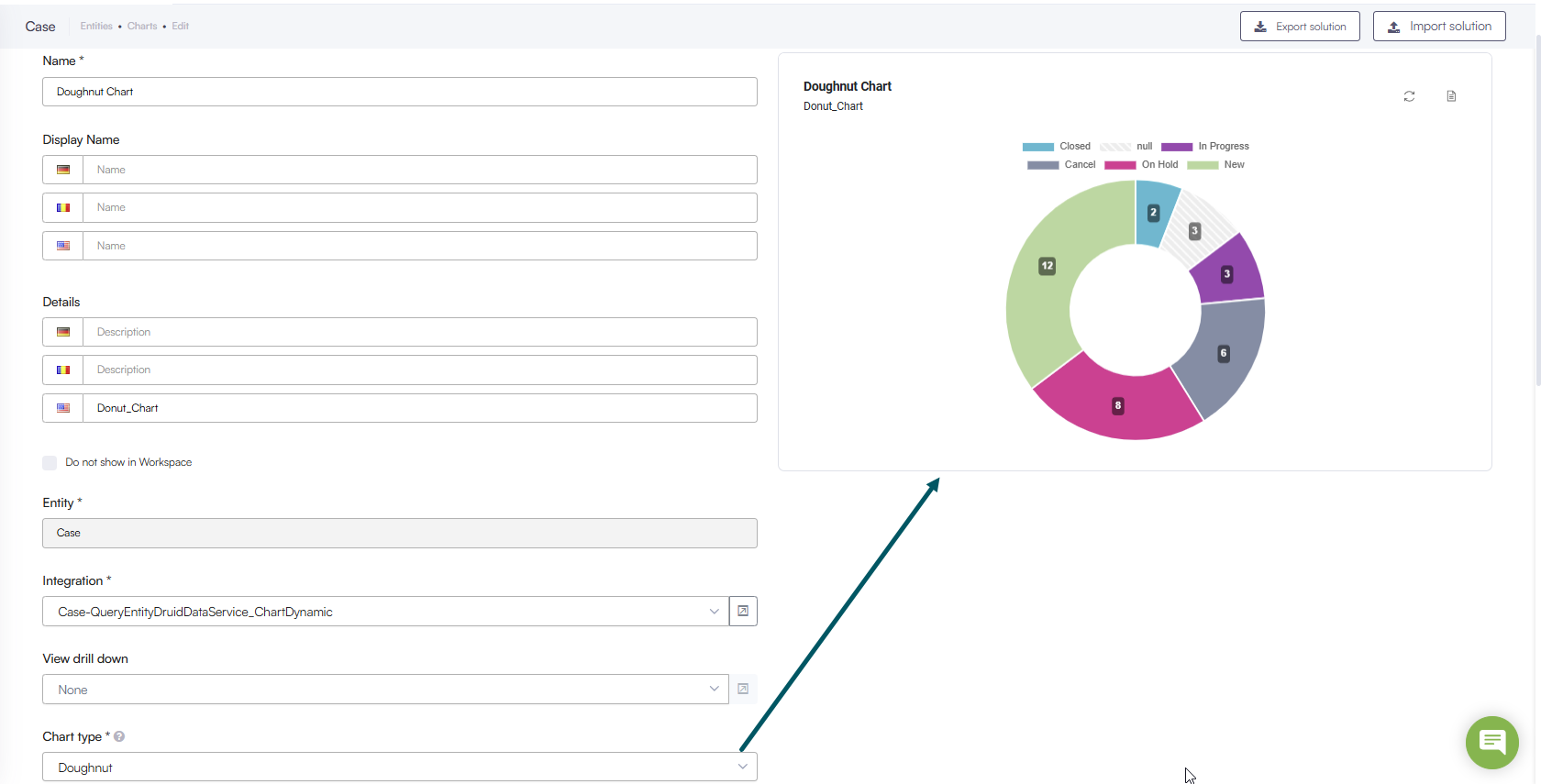
- New Chart Type- Doughnut. We have expanded our data visualization suite to include Doughnut charts. This new type allows cleaner layouts and offers an alternative way to visualize "parts-of-a-whole" data without the visual density of a standard Pie chart.
- Custom Extractor Support for KB Internal Action. The KBExtractDocumentContent internal action now utilizes the specific document extractors configured in the KB advanced settings. Previously, this action relied on default extractors that were hardcoded and could not be modified by authors. With this improvement, the system identifies the file mime type and applies the corresponding extractor defined at the knowledge base level. This ensures that content extraction remains identical whether data is processed during KB ingestion or manually triggered via this internal action.
In previous versions
Bug Fixes
- Error Handling for LLM Chunking. Fixed an issue where the system silently fell back to a basic chunking method when a configured LLM resource was unavailable (for example, returning a 404 error), which could lead to inconsistent data extraction without user visibility. The system now detects missing or unavailable LLM models, stops the chunking process, and raises the specific error instead of reverting to a default configuration, ensuring data is processed only with the explicitly selected setup.
- Chart Drilldown Precision. Drilldown actions now correctly inherit the form context, filtering the results to show only the data relevant to the specific record currently open.