DRUID v9.18 (Latest)
Deployment Dates
The table below lists the deployment date of Druid v9.18 across Druid Clouds. To view the DRUID Releases Calendar, see Druid Releases.
|
Druid Cloud Community *.community.Druidplatform.com |
Druid Cloud US *.us.Druidplatform.com |
Druid Cloud Australia *au.Druidplatform.com |
Druid Cloud West-Europe (PROD) *.Druidplatform.com |
|---|---|---|---|
| March 12, 2026 | April 09, 2026 | April 09, 2026 | April 09, 2026 |
These release notes give you a brief, high-level description of the improvements implemented to existing features.
If you have questions about your Druid tenant, please contact support@Druidai.com or your local Druid partner for more information.
- Netopia Payments - Full Payment Transaction Details
- Data Service Performance Monitoring (Worst Calls)
- Custom Dashboards - Simplified Table Filtering
- Bug fixes
Improvements
- Enforce SSO Login for All Portal Users. Administrators can now enforce Single Sign-On (SSO) login for all Druid Portal users, ensuring that every user authenticates through the organization’s external identity provider.
- Strengthen security by eliminating credential-based logins and reducing the risk of password attacks.
- Prevent unauthorized access from orphaned or unmanaged local accounts.
- Apply centralized identity policies, such as Multi-Factor Authentication (MFA) and corporate access controls.
- Reduce exposure to automated login attacks targeting the standard authentication endpoint.
- ElevenLabs - Full-Stack Voice Support (STT & TTS).
Druid now supports ElevenLabs as a Speech-to-Text (STT) provider, complementing our existing Text-to-Speech integration. By adding STT capabilities, Druid users can now leverage the industry-standard ElevenLabs ecosystem for the entire voice loop—from crystal-clear voice recognition to world-class synthetic speech.
- Improved intent classification with dedicated flow fields. We improved how flow descriptions are used for intent classification:
-
Display Name (formerly Description). The Description field has been renamed to Display Name. This field is intended for user-facing text and may appear in the chat when the AI Agent asks users to choose between similar intents (used within the Intent-not-recognized flow).
- New Description LLM field. A new Description LLM field is available for AI Agents that use NLU intents classification with LLM. This field provides additional context used by the LLM when identifying user intents. The LLM analyzes the following elements for classification:
- Flow Name
- Description LLM
- Training Phrases
- Netopia Payments - Full Payment Transaction Details. With this release, Druid captures the complete transaction payload, giving you total visibility into every payment. Beyond simple success or failure, you can now access rich transaction details—such as bank issuer information, authorization codes, and currency data—directly within your conversational flows. This allows you to provide customers with detailed, real-time confirmation and more personalized service.
- Azure OpenAI LLM Resources – Support for OAuth Authentication. You can now configure Azure OpenAI LLM resources in DRUID AI using OAuth authentication. This enhancement provides a more secure and flexible way to connect Druid to Azure-hosted LLM deployments.
- Improved Security. Use short-lived access tokens rather than permanent keys.
- Easier Governance. Centrally manage and revoke access through Azure Service Principals without updating AI Agent configurations.
- Compliance. Meet enterprise security standards by eliminating the risk of hardcoded or exposed API keys.
- Data Service Performance Monitoring (Worst Calls). We have introduced a new WorstCalls section within the Druid Data Service settings to help you identify and optimize slow-running integrations. This monitoring tool is designed to give you immediate visibility into any Data Service integration that takes longer than 1 second to execute.
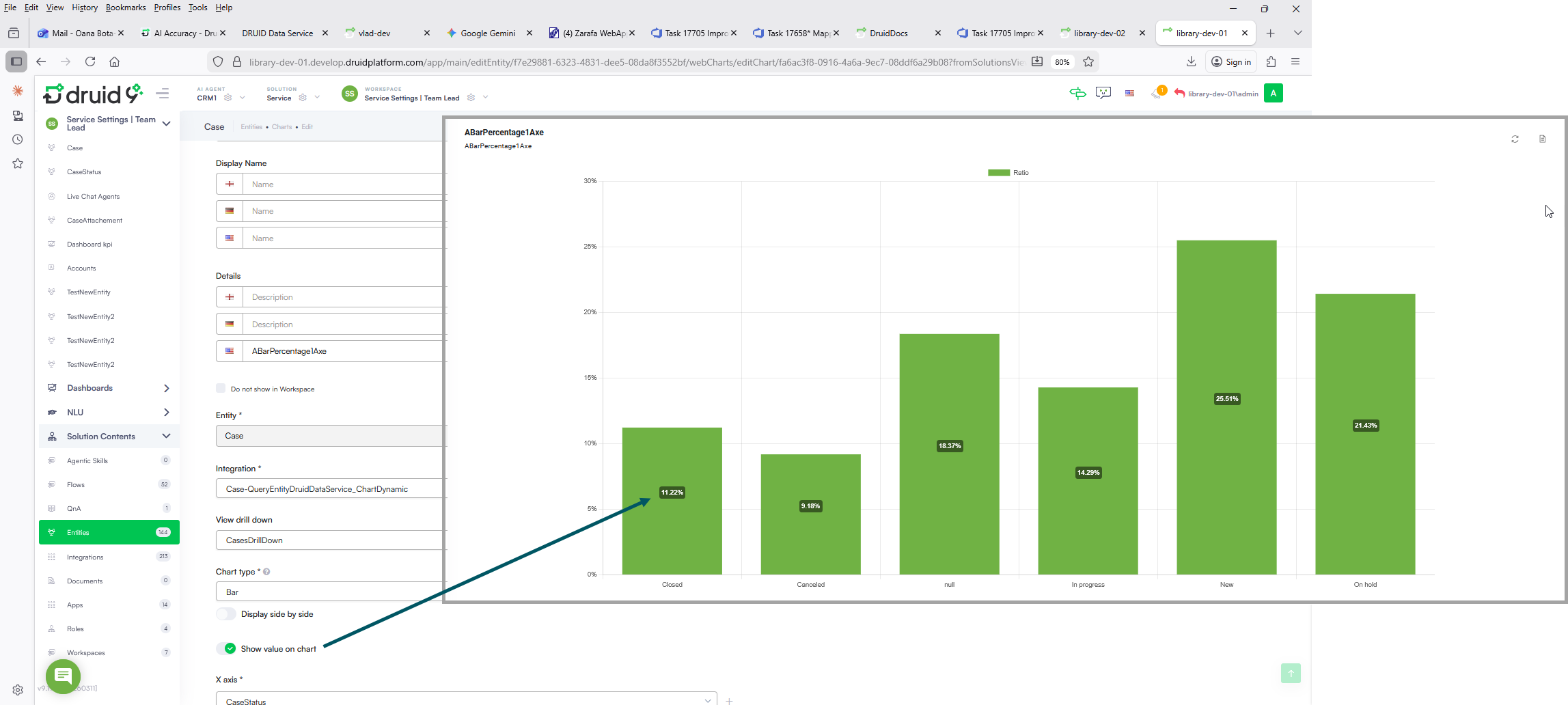
- Workspaces - Chart Values Display. Previously, chart values were only visible when hovering over a chart element (such as a bar or pie slice). You can now enable a persistent view to see values at a glance.
- Custom Dashboards - Simplified Table Filtering. We have significantly streamlined the process for filtering dashboard table records using the time interval selected on the dashboard. Authors no longer need to create dedicated web views or manually add search fields to entities.
This improvement helps you:
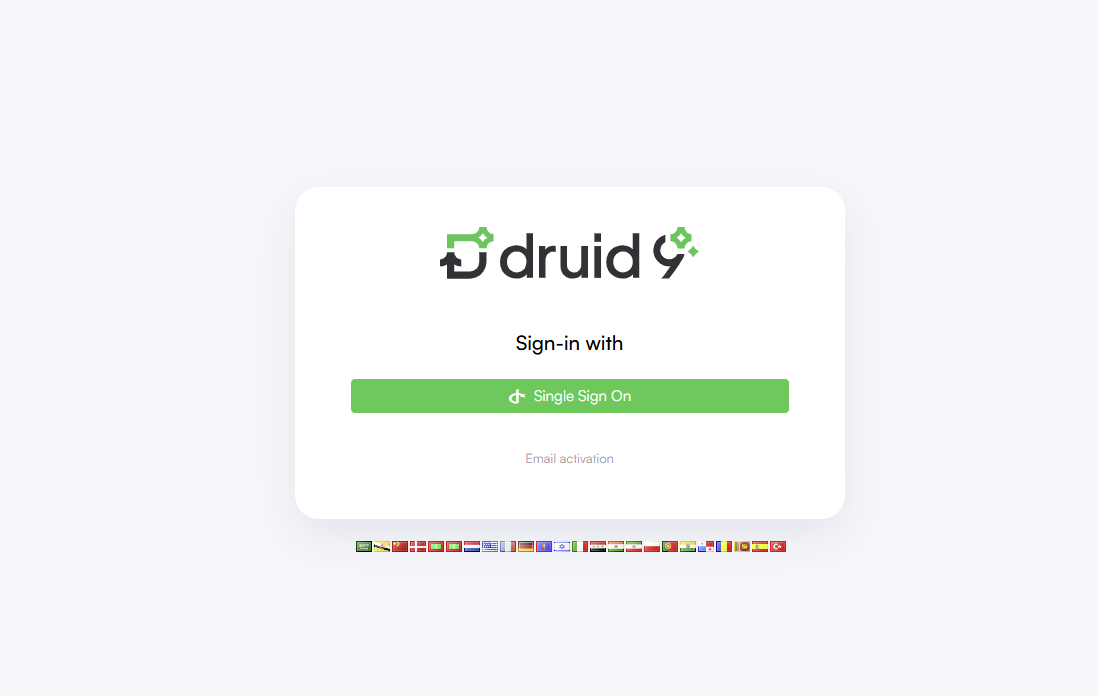
If needed, administrators can temporarily restore credential-based login using a generated Login key, for example if the external identity provider becomes unavailable.
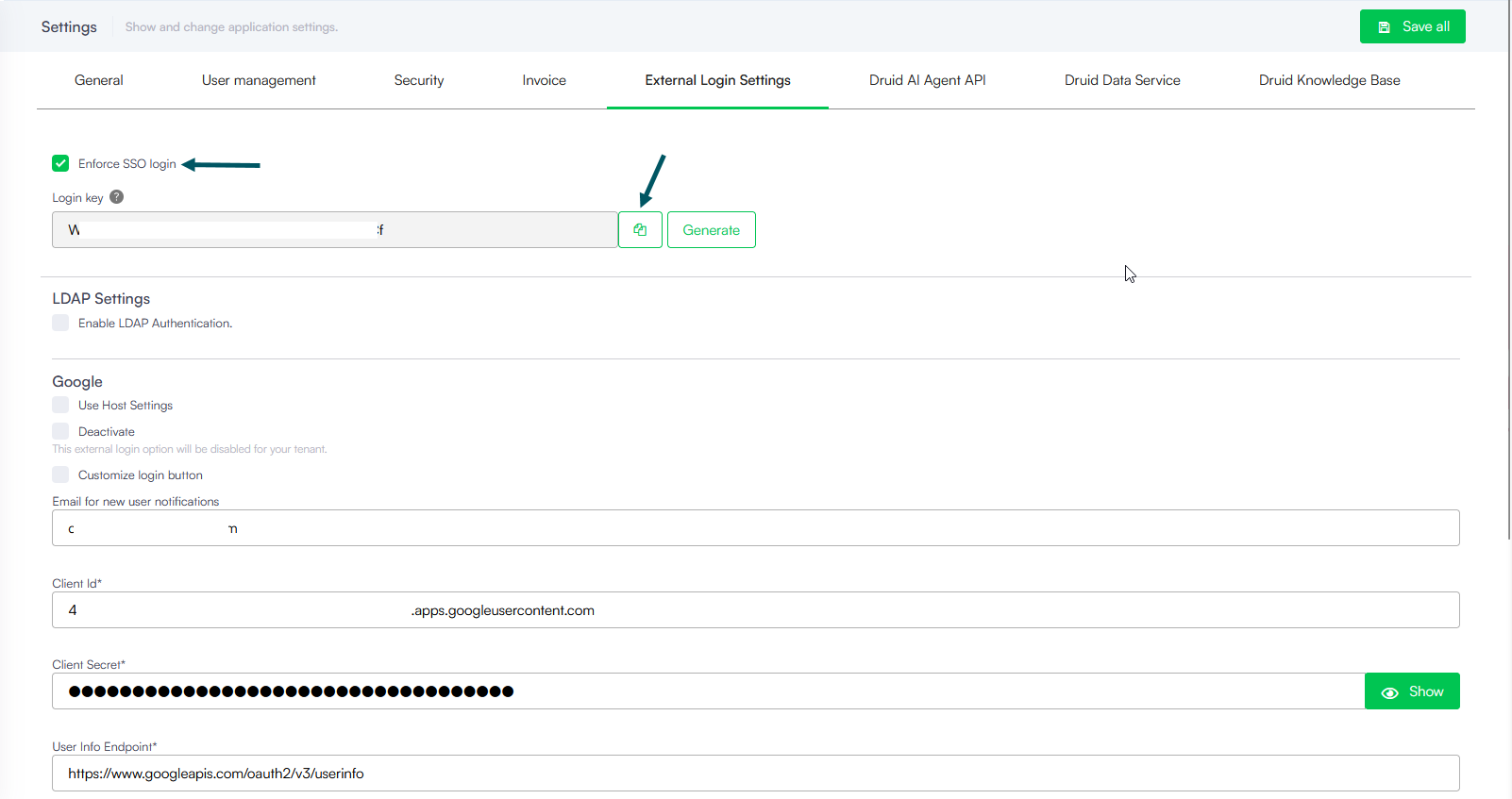
For more information, see Enforce Login with Single Sign On.
Instead of relying on static API keys, OAuth uses token-based authentication managed through Microsoft Entra ID, enabling:
For more information, see Create LLM Resources.
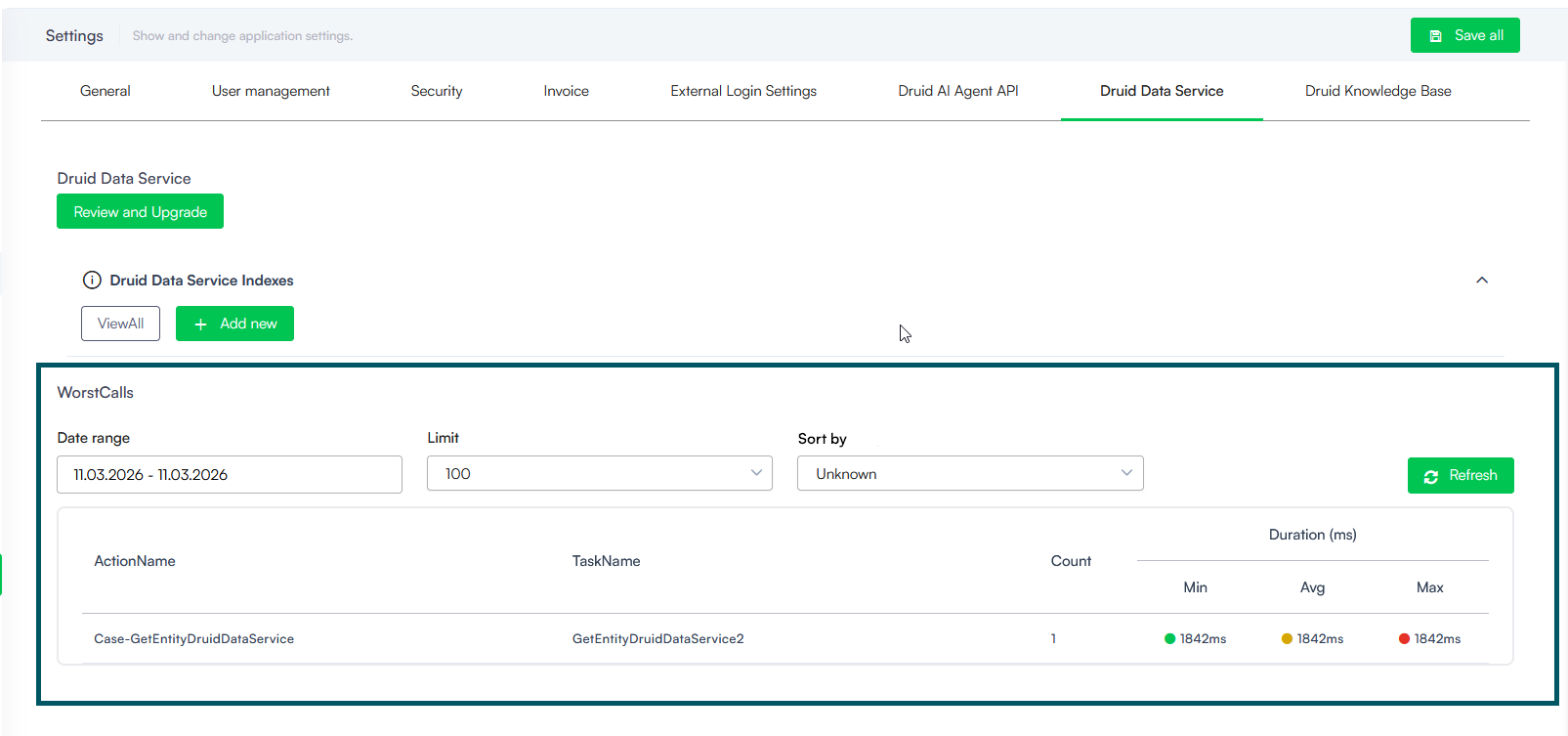
Use these insights to determine if an integration requires logic improvements or if a Druid Data Service index should be added to the underlying entity to boost speed.
For more information, see Analyze Data Service Performance (Worst Calls).
This feature allows users to compare data points and analyze trends more quickly without requiring manual interaction with every chart segment.
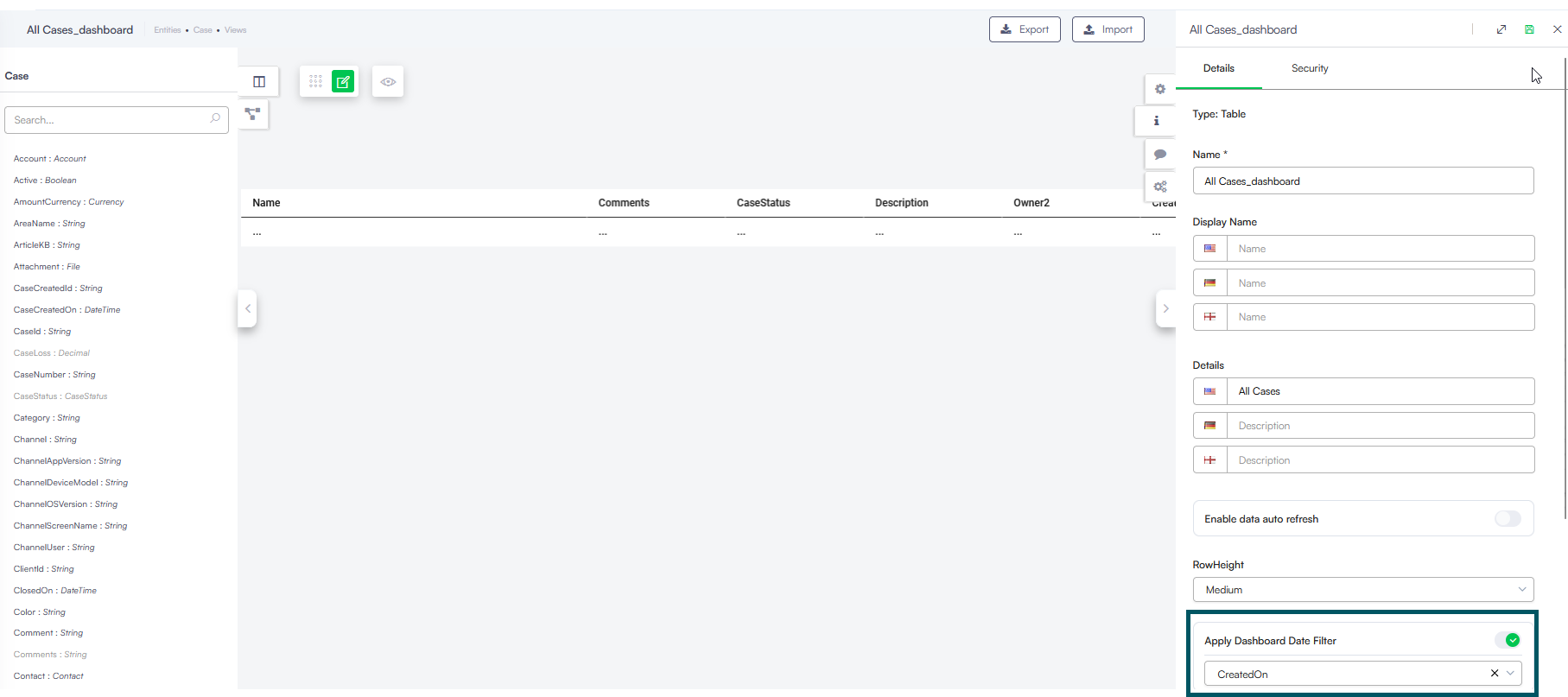
By enabling the Apply Dashboard Date Filter toggle and selecting a date-type field from the dropdown directly within any classic view configuration, you can instantly synchronize a table with the dashboard time range. This update removes the tedious setup of building custom filtering integrations, allowing you to reuse existing views while maintaining full filtering functionality.
Bug Fixes
- Telegram File Download. Resolved an issue where the File Download flow step failed to render in the Telegram Channel. Files are now correctly delivered to the user instead of being skipped.
- Telegram Hero Cards. Fixed a bug preventing Hero Card buttons from triggering actions within Telegram conversations.
- Outlook Email Body. Improved the Outlook Channel integration to ensure the full email body is retrieved as plain text. Content is no longer truncated during the ingestion process.
- MultichatV2 Cursor Focus. Fixed a UI navigation issue in the Multichat agent portal. Previously, the input cursor would automatically jump back to the Agent Chat box after typing a single character in the Client Chat box. Focus now remains on the intended input field.
- Connector Link Condition Errors. Corrected a behavior where errors in Connector Action link conditions were failing silently. These errors are now properly logged, and the flow will no longer default to the success path if an evaluation error occurs.
- Conversation History Filters. Fixed a persistence issue where active filters in the Conversation History view were cleared after clicking the Refresh button. Applied filters now remain active across refreshes and navigation steps.